An AI Overview traffic drop looks like flat impressions and falling clicks. Here's how to rule out updates, ads and tracking first, find the affected queries and track AI answers daily.
Your rank report says page one. Your clicks say otherwise
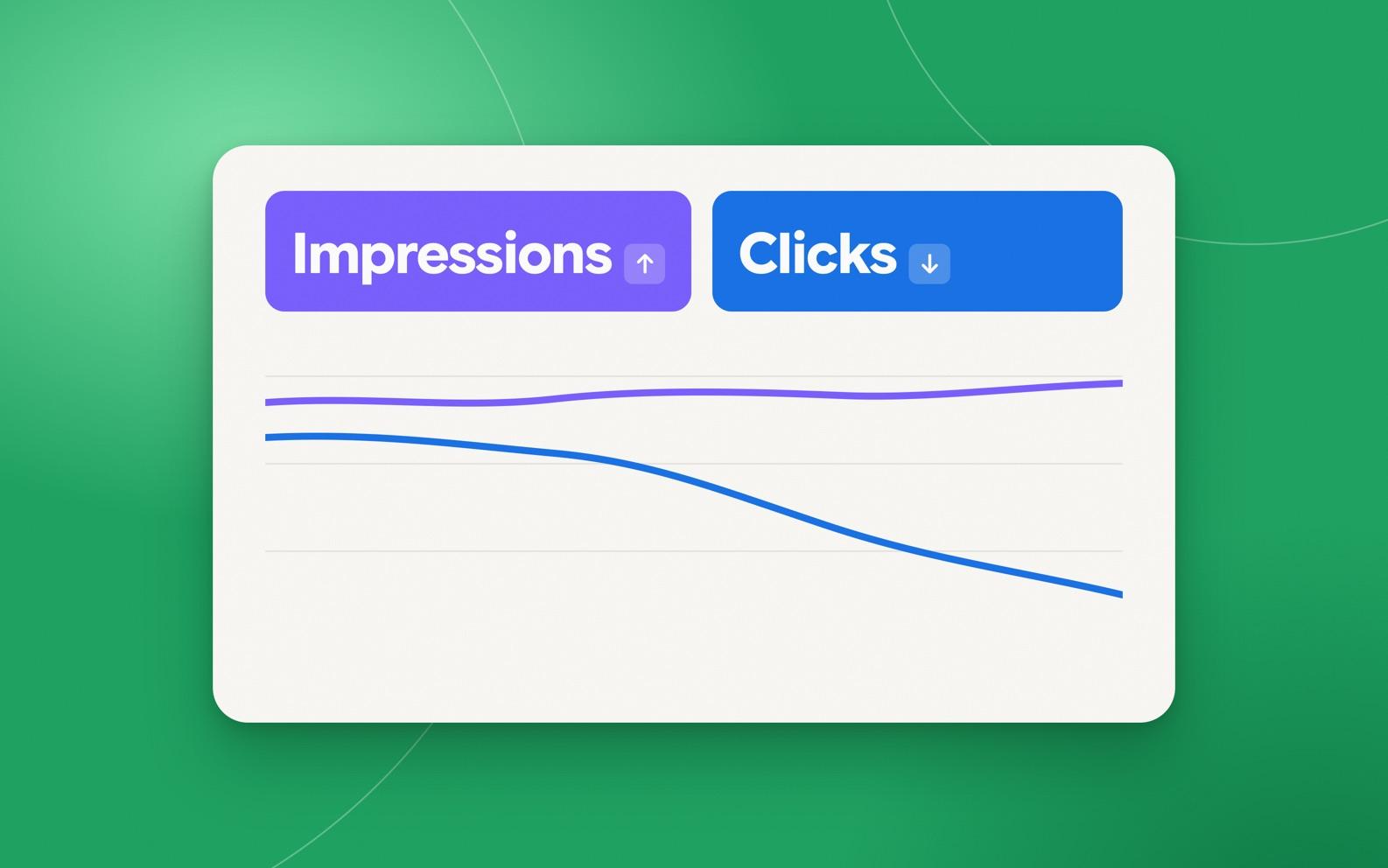
An AI Overview traffic drop has a recognizable shape. Impressions in Search Console stay flat or even rise, average position looks healthy, and clicks slide month after month. Leadership sees a ranking report full of green and an analytics chart going the wrong way, and someone has to explain the gap.
Part of the gap is how Google counts. Its own documentation says pages that appear in AI features such as AI Overviews and AI Mode are included in the overall Search Console totals, inside the Performance report's "Web" search type. So a citation inside an AI answer can add an impression and a position without producing a click, and the standard report doesn't label which is which.
Google did add a separate view in June. The Search Generative AI performance reports show how often your URLs appeared in generative AI features, by page, country, device and date, and they reached every site worldwide on August 31, 2026. The metric list is impressions. There's no click column, so you still can't read a click-through rate for AI features straight out of Search Console.
Organic is down, and AI is only part of the story
Before blaming AI Overviews, look at what the wider data says. In an analysis published October 26, Kevin Indig compared modeled traffic for 10,000 domains in the US and 10,000 in France over three years. Organic search visits fell 13.2% in the US and 24.4% in France between August 2024 and August 2026. Publishers took the worst of it, losing 41.5% of organic traffic in the US and 42.5% in France over two years.
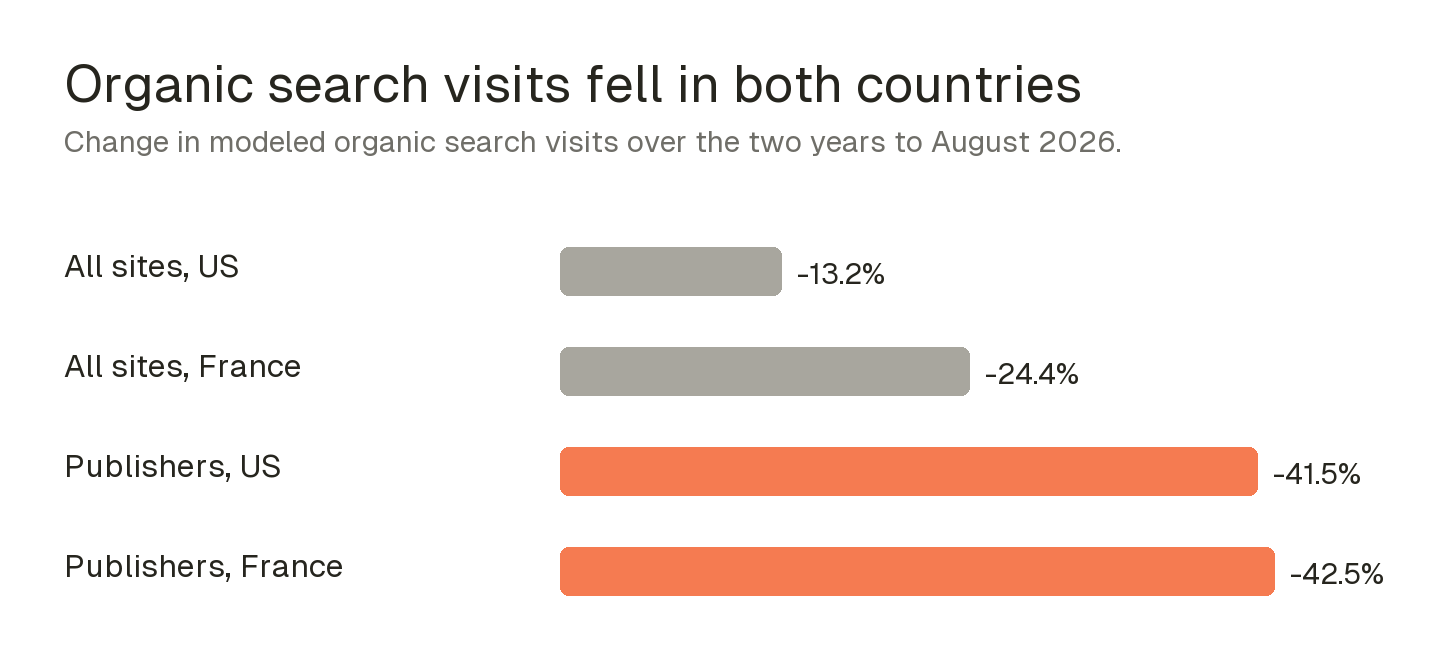
The France comparison is the useful part. Indig uses it as a rough control because AI Overviews reached France later than the US, and France still lost more organic traffic. His own caveat is that the data doesn't establish whether AI or paid search caused the losses. Paid search kept growing in both countries over the same stretch, and the year also brought core and spam updates. If your drop lines up with one of those, the fix is different.
So treat "AI Overviews took our traffic" as a hypothesis, not a finding. Four causes produce charts that look almost the same, and each has a quick check:
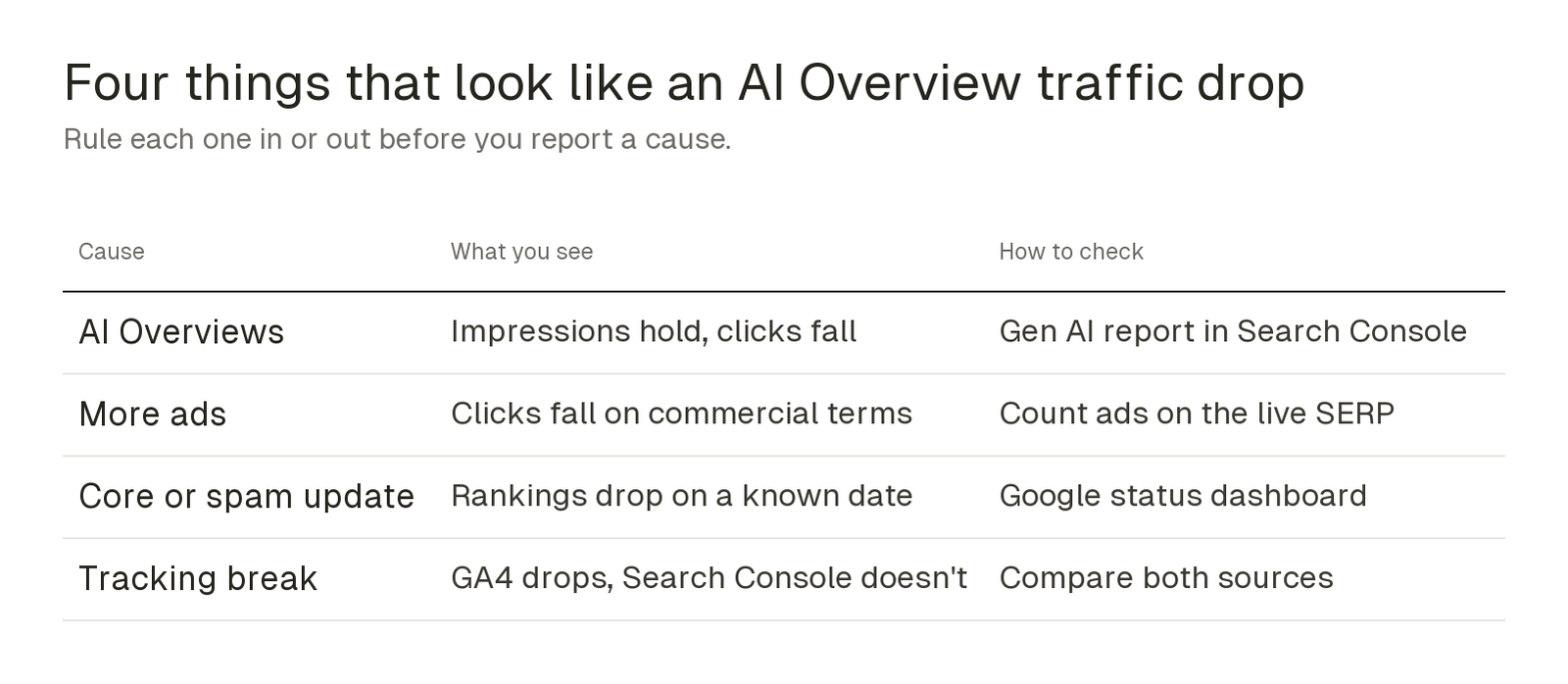
Match the start of the decline against the dates on Google's status dashboard first, because that's the cheapest check. If nothing lines up and clicks fell while impressions held, AI Overviews move to the top of the list.
Find the queries where an AI Overview sits on top of you
Once AI Overviews are the likely cause, you need a list of which keywords are affected, and Search Console won't hand you one. Semrush's Organic Research report does. Its SERP Features view splits your keywords into results where an AI Overview links to your domain and results where one appears without linking to you.
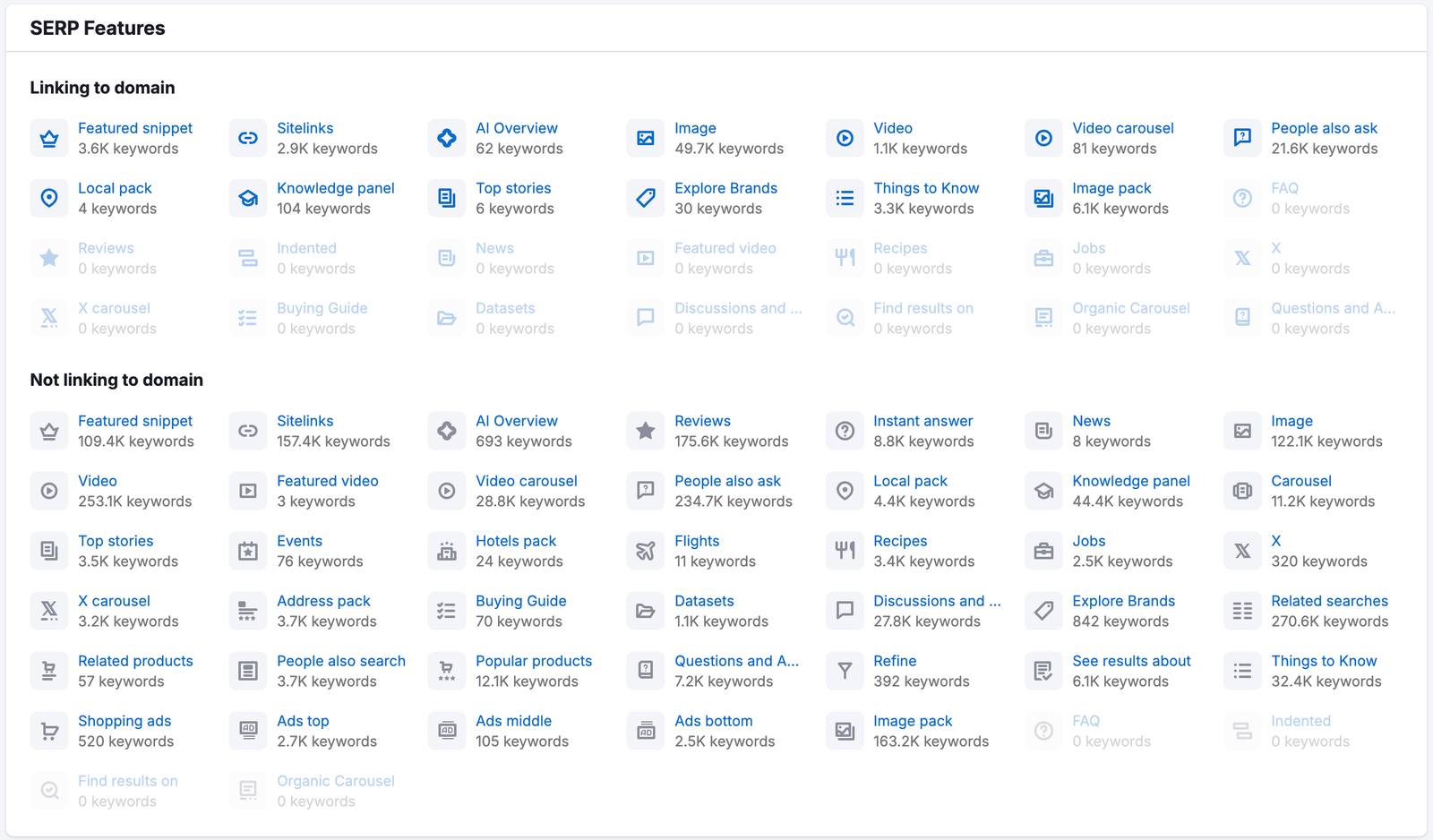
The "not linking" group is your shortlist. Export those keywords, sort by the traffic each one used to bring, and you have the pages where an AI answer now sits above you and cites someone else. That's a far better starting point than rewriting everything that lost clicks.
Two more columns make the list sharper. Check intent first: informational questions are the ones AI Overviews answer most completely, so a how-to page that lost 60% of its clicks may never recover them, while a comparison or pricing page still has a reason to be clicked. Then add Position Tracking for the commercial terms you care about, so you see daily whether your classic ranking moved or only the click share did. If the ranking held and clicks fell, you're looking at the SERP changing above you, not your page getting worse.
Organic Research is part of Semrush's SEO Toolkit, and Semrush One bundles it with the AI Visibility Toolkit. If you want both sides of this workflow, start with Semrush One. It has a 7-day free trial, which is enough time to pull the list for your top pages.
Track the AI answers themselves, daily
A keyword list tells you where AI Overviews appear. It doesn't tell you what the AI says, or whether your brand is in the answer this week. For that you need to watch the answers directly. Checking prompts by hand works for five searches and falls apart at fifty.
Prompt Tracking in Semrush's AI Visibility Toolkit runs your chosen prompts every day in ChatGPT, Google AI Mode and Gemini. It reports how often your domain is visible, how many times it's mentioned and its average position, next to the competitors you pick. Put your branded searches and your highest-value commercial queries in first.
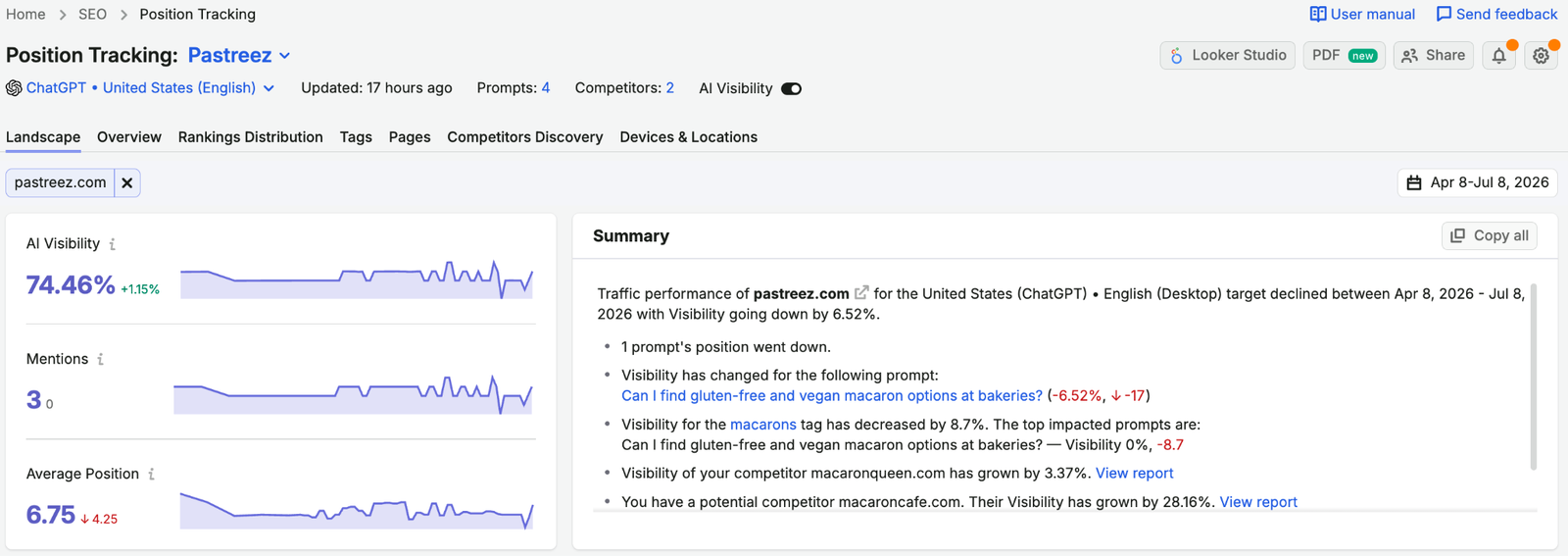
This is the metric that fills the hole in Search Console. Google's report can tell you that your page appeared in an AI feature. Daily tracking tells you whether you're winning or losing the answer over time, and which competitor took your spot when you dropped out.
Check what AI answers say about your brand
Branded searches matter most here, because an AI Overview on your own brand name is the first thing a buyer reads about you, and it isn't always written from your own pages. If the summary leans on an old review or a reseller page, it can repeat outdated prices or wrong claims.
The toolkit's Perception report shows sentiment and the attributes AI platforms attach to your brand, compared with competitors and broken out by platform. Its written insights point at the specific gaps, such as a pricing message that isn't coming through.
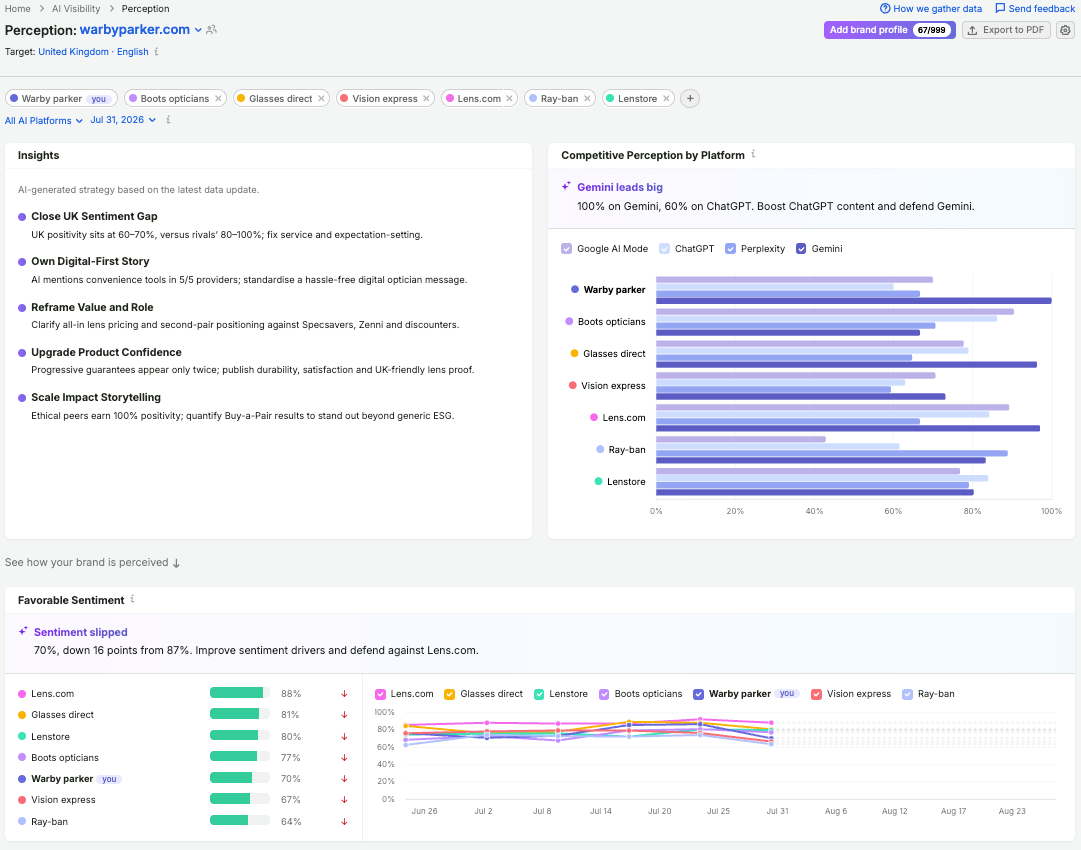
When you find a wrong claim, trace it to the page the AI is citing and fix the source: update your own page, ask the third-party site to correct theirs, or publish a clear answer that's easier to cite. Then watch the next few weeks of tracking to see whether the answer changes.
A monthly routine for the new SERP
The goal isn't to win back every lost click. Some of those searches are answered on the results page now, and they won't return. The goal is to know which losses are real, which are AI, and which pages are still worth fighting for.
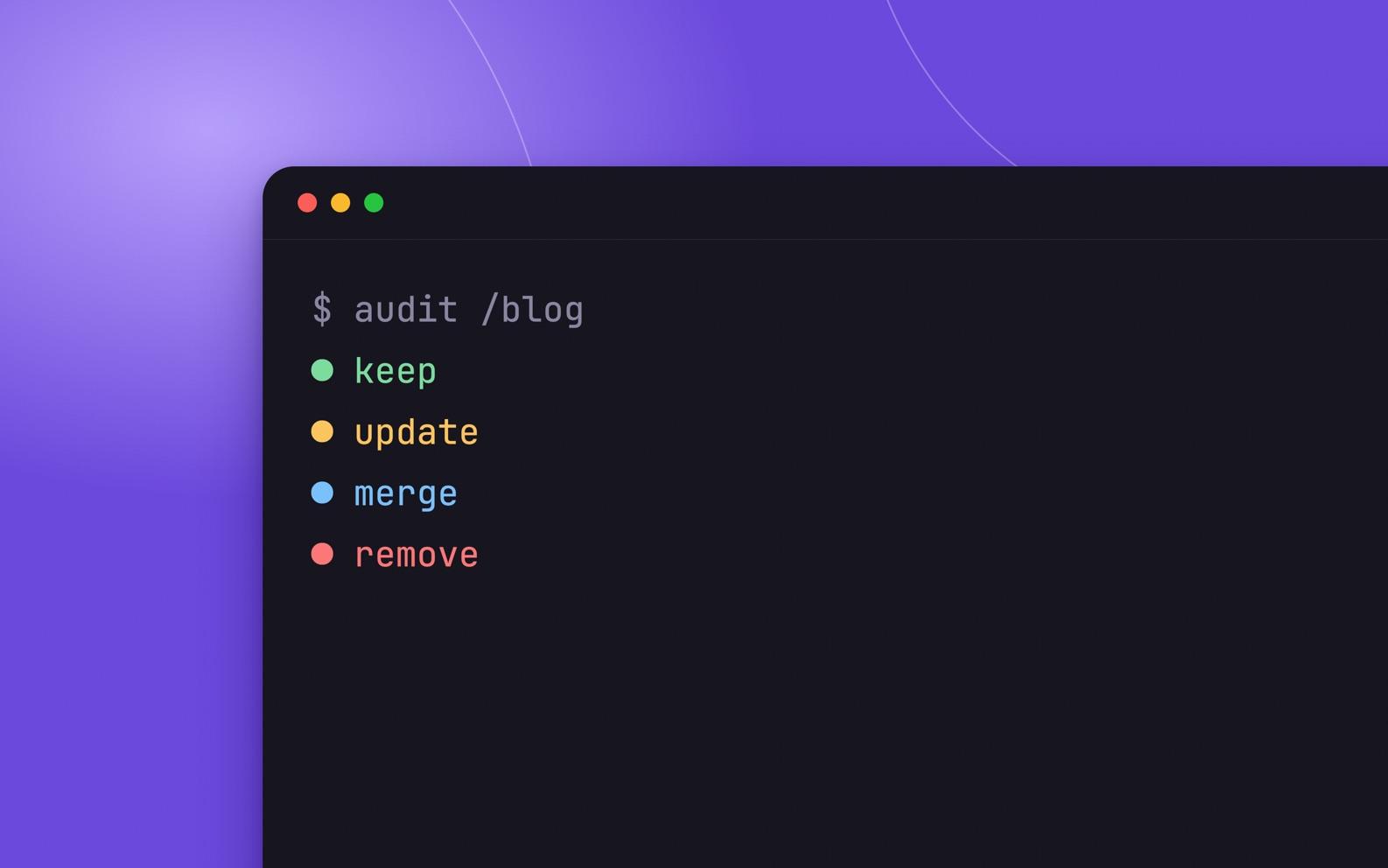
Put the pieces together and you get a routine a small team can run in an afternoon each month:
- Line up the traffic drop against Google's update dates, your ad coverage and your analytics setup before calling it an AI Overview problem.
- Read Search Console's generative AI report to see which pages appear in AI features.
- Pull the keywords where an AI Overview shows without linking to you, and rank them by lost traffic.
- Rewrite the top three pages so they answer the question in the opening lines, with a sourced number or example an AI can quote.
- Track the matching prompts daily and report AI visibility next to organic clicks, so leadership sees both.
Sources
- Google Search Central: AI features and your website
- Google Search Central Blog: Introducing Search Generative AI performance reports in Search Console
- Growth Memo (Kevin Indig): Organic traffic is down, but it's not all AI
- Google Search Status Dashboard: Ranking incident history
- Semrush KB: Researching SERP features
- Semrush KB: Prompt Tracking
- Semrush KB: AI Visibility Toolkit
- Semrush KB: Semrush One