Bing Webmaster Tools' new Topics Portfolio shows which AI citation topics you own and which queries cite other sites instead. Here's how to triage the list, check it beyond Bing and track the result.
Bing Webmaster Tools now sorts your AI citations by topic
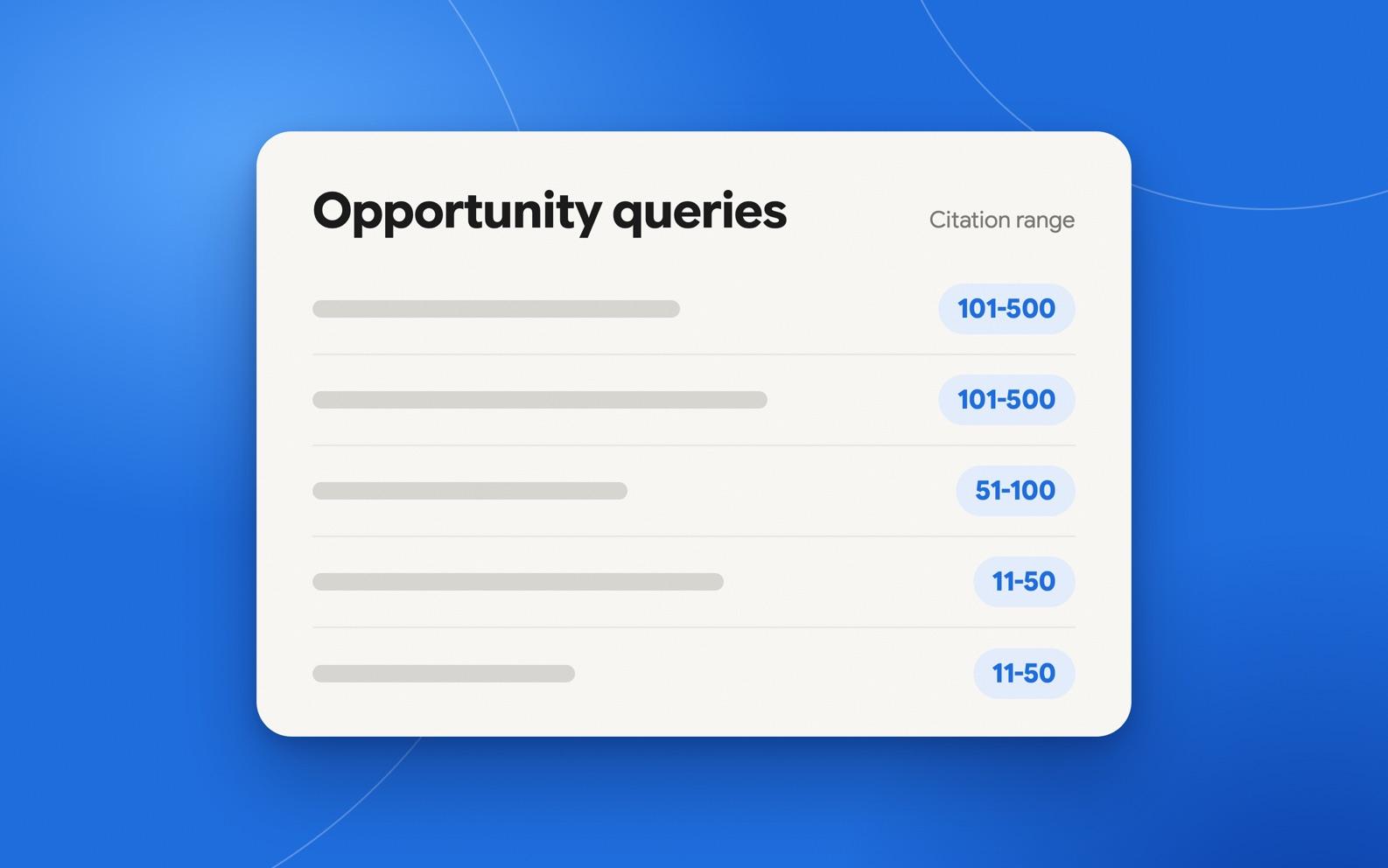
Most AI visibility reports tell you what you already won. Bing Webmaster Tools added a view on October 13 that leans the other way. It's called Topics Portfolio, it sits inside the AI Performance report as a beta tab, and its most useful part is a list of queries where other sites get cited in AI answers and yours doesn't.
Some context first. Bing opened AI Performance as a public preview in February. It counts how often your pages are cited in Microsoft Copilot, AI-generated summaries in Bing and a few partner integrations, and it lists the grounding queries behind those citations. Grounding queries are the searches the AI runs in the background to find sources for an answer, so they're usually shorter and more topical than what a person actually typed. In June, Bing previewed Intents, Topics, Citation Share and Compare. Topics Portfolio is where the Topics piece landed.
Click any topic and you get two lists side by side: Your Grounding Queries, where you're already cited, and Opportunity Queries, where someone else is. That second list is the reason to open the report.
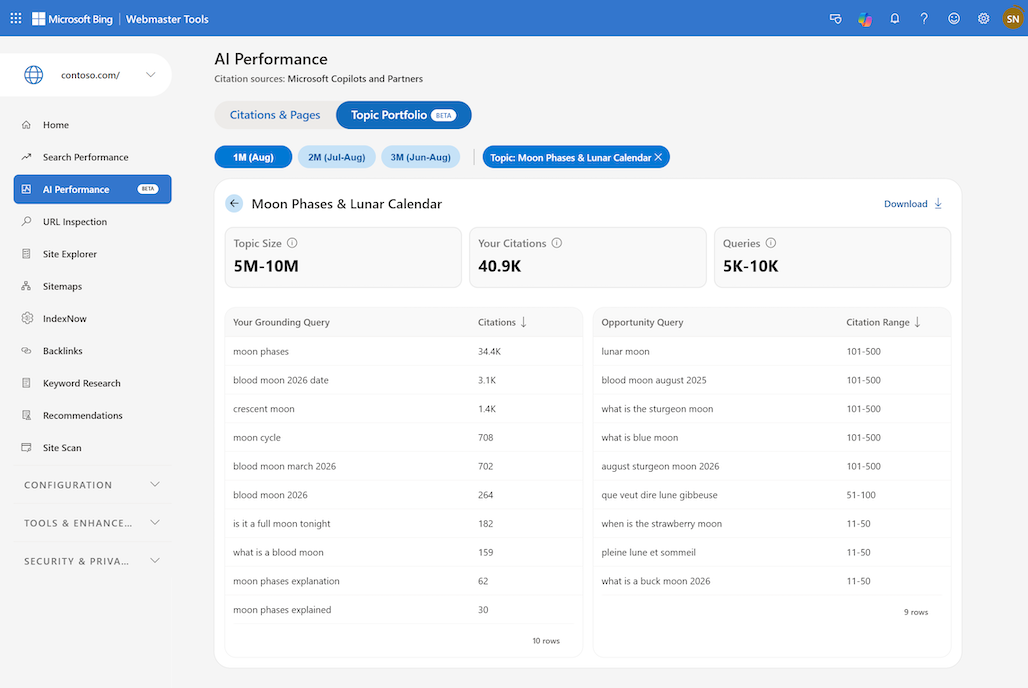
Read the three numbers before you plan anything
Each topic row has three figures. Topic Size is the approximate number of citations across every site for that theme over the period you pick, which is Bing's stand-in for demand. Sites Cited is roughly how many sites show up for queries in the topic, so it tells you how crowded it is. Queries is the number of distinct grounding queries in the cluster. You can look at one, two or three months.
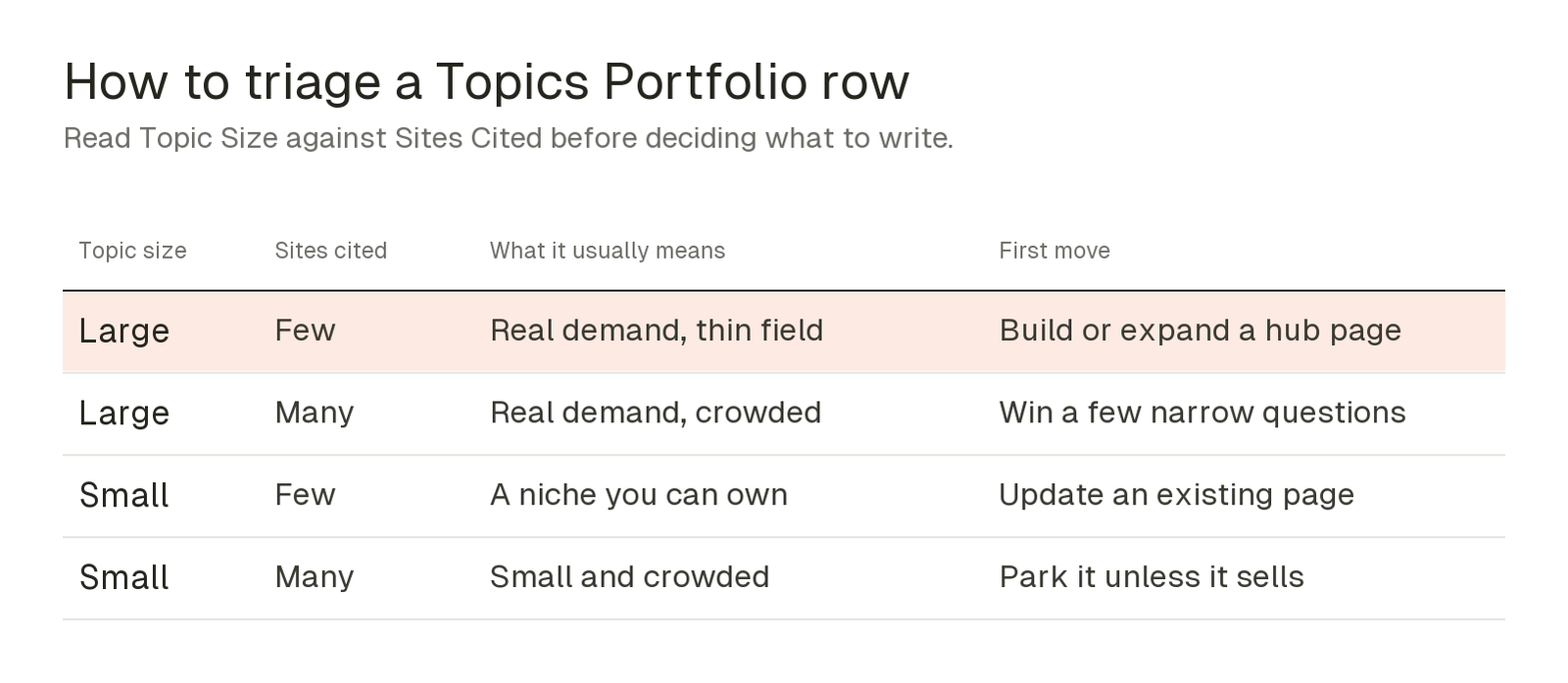
None of the three means much alone. A huge topic with thousands of cited sites is a fight you may not win this quarter, and a modest topic where only a handful of sites get cited can be the better bet. This is the quick sort we use before anything goes on the content calendar:
Bing is upfront that this is a beta. The topic labels are written by an AI classifier and will sometimes be off. The numbers are approximate, and opportunity citation volumes only appear as ranges. Smaller sites may get a short list, or no Topics tab at all, until there's enough data. One more catch from Bing's own notes: branded queries can show up as opportunities. A running shoe store might see a rival's product name in the list. Skip those. You aren't going to earn citations for someone else's brand.
Check how the same topic looks outside Copilot
Here's where a lot of teams will go wrong. Bing's list comes from Bing's grounding activity, and Bing says itself that the numbers are directional signals for its ecosystem. A gap in Copilot doesn't automatically mean a gap in ChatGPT, Google AI Mode or Gemini, and your buyers may lean on those more. Before you rewrite a page for one opportunity query, see how the wider topic behaves elsewhere.
We do that step in Semrush's AI Visibility Toolkit. Type the Bing topic into Prompt Research and you get the related topics people bring to AI platforms, an AI volume estimate for each, the intent split, and which brands and source domains keep showing up in the answers. Its Questions report goes a level deeper, with the actual questions people ask AI assistants in the category. When the same theme looks busy there and Bing flags you as missing, you've found something worth writing for.
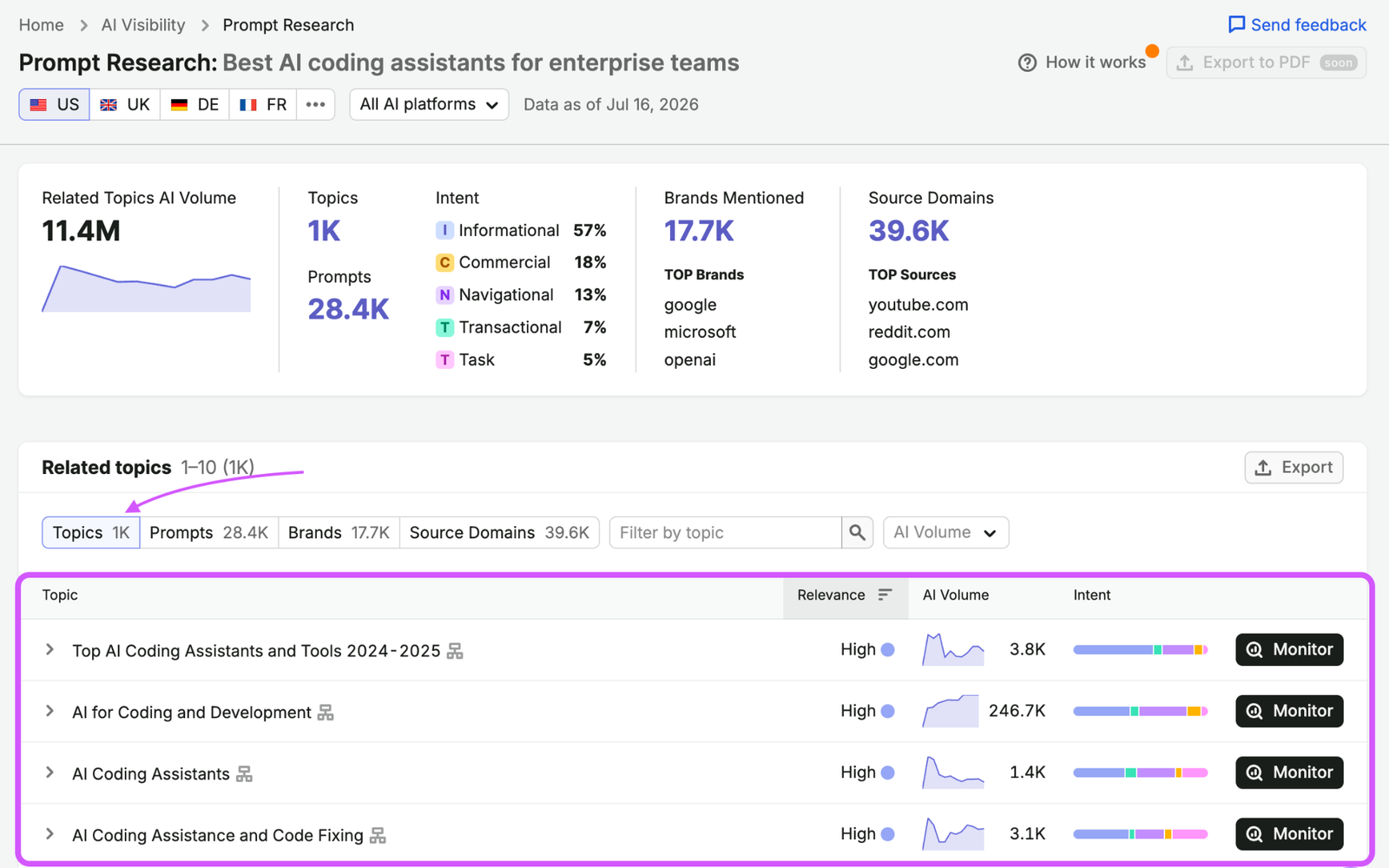
The AI Visibility Toolkit is a $99-a-month add-on, and the simplest way to try it is through Semrush One, which includes the toolkit and comes with a 7-day free trial. A week is enough to run the check below on your top five Bing topics and decide whether it earns a place in your stack.
Turning one opportunity query into a content update
Once a topic survives the triage and the cross-check, take its opportunity queries one at a time. The routine is short:
- Download the topic from Bing and drop branded queries and anything off-topic for your business.
- Search your own site for a page that already answers the query. Usually the fix is an update to that page, not a new URL.
- Open the AI answers for the matching prompts and note which pages get cited. Look at what those pages have that yours lacks: a direct answer near the top, a number with a source, a comparison table, a date.
- Rewrite the opening of your page so it answers the question in the first two or three sentences, then add the missing evidence and link the page from your other articles on the topic.
- Log the query, the page and the date of the change, so the next Bing pull can show whether anything moved.
Measure it across platforms, then pull Bing again next month
Bing refreshes Topics Portfolio on its own schedule, and a monthly window is the shortest one it offers. That's fine for planning, but it's slow for checking whether one rewrite worked. Take the prompts behind your priority topics and add them to Prompt Tracking. It checks them daily in ChatGPT, Google AI Mode and Gemini and reports AI visibility, brand mentions and average position for your domain and your competitors.
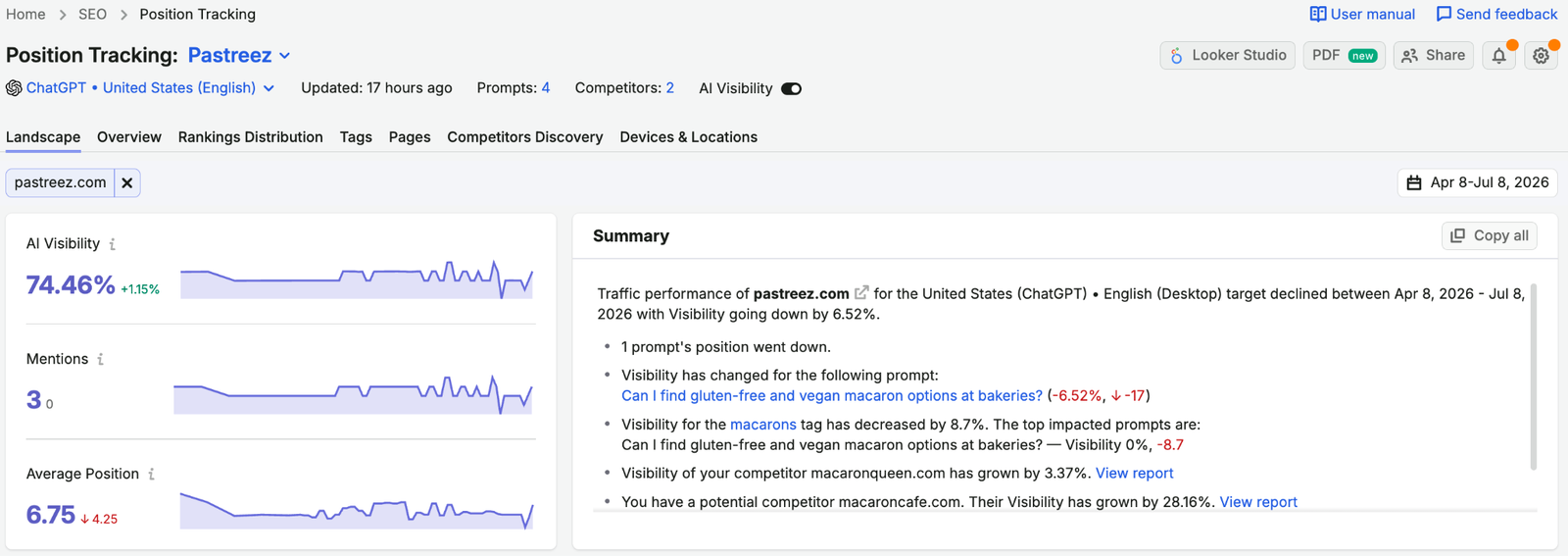
Between the two you get a fair picture. Bing shows where Copilot already reaches for other sources, and the daily tracking shows whether your changes are turning into mentions on the platforms Bing doesn't cover. If your Bing opportunity list shrinks and your tracked AI visibility goes up in the same month, the update did its job.
Where this fits for a small team
If you only have a few hours a month for AI search optimization, this is a sensible way to spend them. Pull the Bing topics once a month, run the triage, cross-check the top two or three, update one or two pages, and track the prompts. It's a content gap analysis built from real AI citation data instead of guesses, and it turns topic clusters into a short to-do list.
It also slots in next to the work you're probably doing already. Before any of this, make sure AI crawlers can reach your pages. And once the citations start coming in, report them as a share across many prompts rather than a single screenshot.
Sources
- Bing Webmaster Blog: Introducing Topics Portfolio (Beta) in AI Performance
- Bing Webmaster Blog: Introducing AI Performance in Bing Webmaster Tools Public Preview
- Bing Search Blog: New AI Visibility Insights in Bing Webmaster Tools
- Semrush KB: Prompt Research report
- Semrush KB: Prompt Tracking
- Semrush KB: AI Visibility Toolkit
- Semrush KB: Semrush One