Most Google ranking updates in 2026 were spam updates, not core updates. Here's a two-source check to confirm a traffic drop, how to tell a niche-wide hit from a site problem, and how long recovery takes.
Most ranking drops this year weren't core updates
When traffic falls, the first message in the team channel is usually "core update?" In 2026 that guess has been wrong more often than right. Google's Search Status Dashboard lists six confirmed ranking updates so far this year, and four of them were spam updates: March, June, August and September. There were two core updates, in March and May.
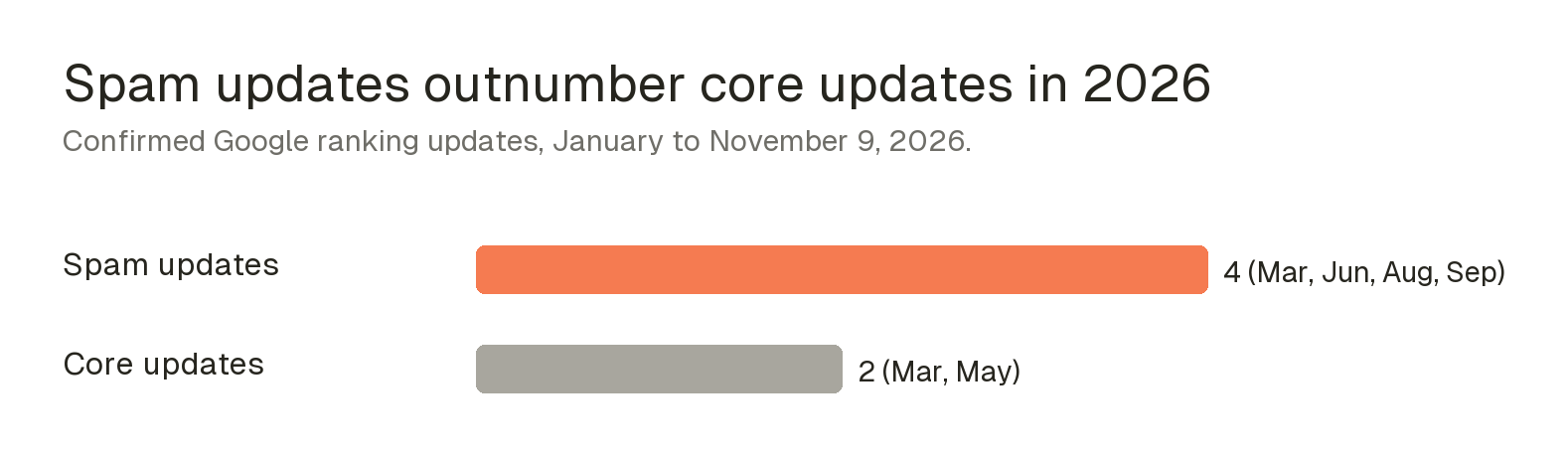
That matters for your next move. Google's own page on core updates says they are broad changes that don't target specific sites or pages, and that pages which move down "aren't necessarily bad"; other pages simply moved ahead of them. A spam update targets pages that break a policy, such as scaled content, link schemes or site reputation abuse. One calls for patience and better pages. The other calls for finding and removing the thing that broke the rules.
Google also widened what counts as a spam risk. On October 26 it updated its guide to preventing user-generated spam. If your service lets users create "shareable pages, generated outputs, or interactive tools," Google now asks you to decide whether that content is meant for search at all, and to noindex or block it by default when it's built for direct sharing. AI tools and template platforms that let users publish pages should read that section closely.
If your drop lines up with a spam update, the audit list is short and specific. Look for sections of near-identical pages produced at scale, links you paid for or swapped, third-party content hosted under your domain to borrow its authority, and user-created pages that are indexable when they shouldn't be. Fix those before rewriting anything else, since a rewrite won't help a page that broke a policy.
Confirm the drop with two sources before you react
The fastest way to waste a month is to rebuild pages because a rank tracker showed red for three days. Rank trackers check a sample of results from fixed locations, and results now shift with personalization, AI features and SERP layout. A tracker swing is a reason to look closer, not proof of a loss.
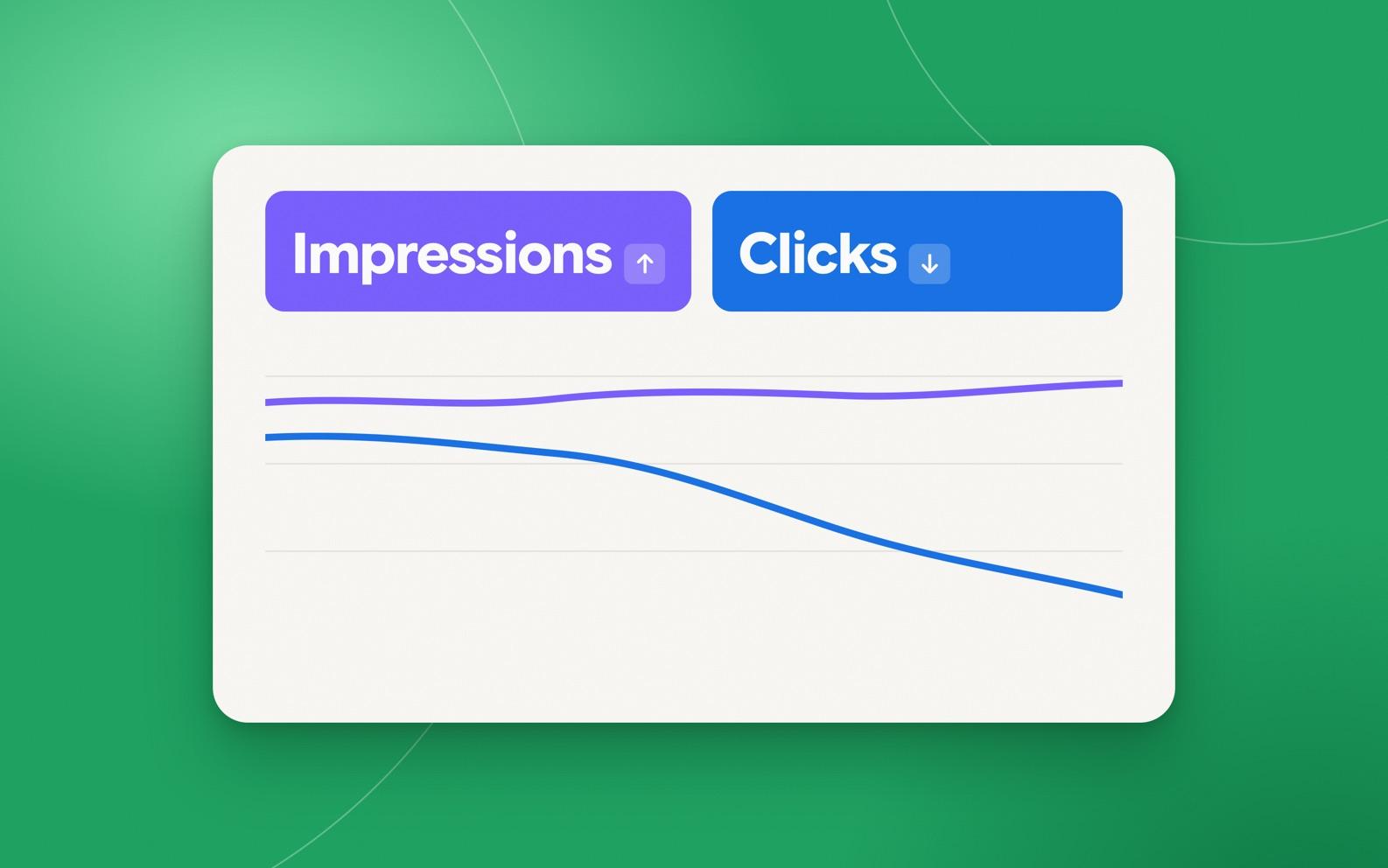
The rule we use is simple: no drop counts until a second source confirms it. Read the rank tracker against Search Console clicks and analytics sessions for the same pages and dates. The combination tells you what kind of problem you have:
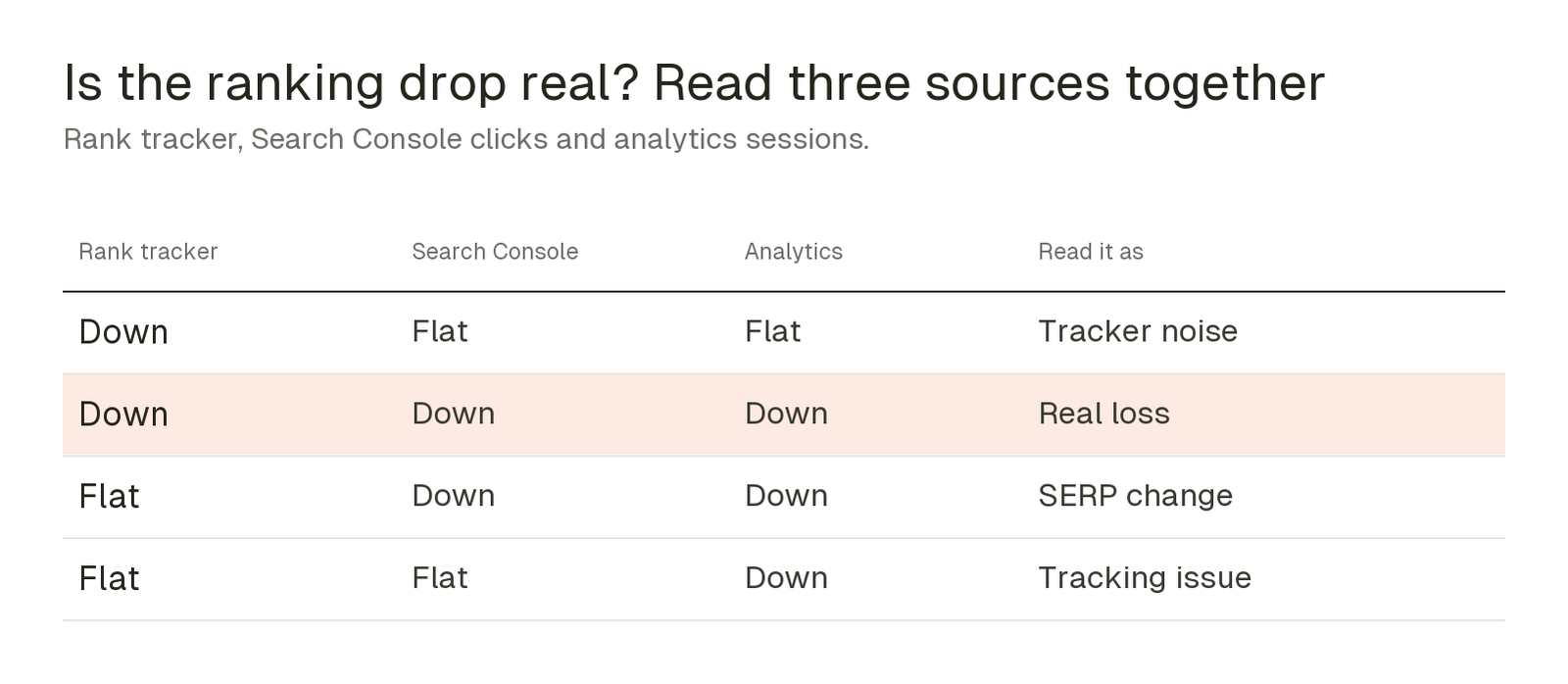
Only the second row needs a recovery plan. The third row usually means a new SERP feature, more ads or an AI Overview took the clicks while your ranking held. The fourth is a broken tag or consent setup, and no amount of content work will fix it.
Timing matters too. Google's core update guidance recommends confirming the rollout has finished on the status dashboard, waiting at least a full week after it completes, and then comparing that week with a week before the rollout began. It also says a small slide, such as position 2 to position 4, doesn't call for drastic changes. Most panicked rewrites happen in the middle of a rollout, when the data is still moving and the comparison means very little.
Check whether the whole niche moved, or just you
Next, separate a site problem from a market problem. Semrush Sensor scores daily volatility in Google results by country, device and category, from low to very high. If your drop starts on a day when your category's score jumps, you're probably looking at an update. If Sensor is calm and only you fell, look inward first: a release, a template change, lost links or a manual action.
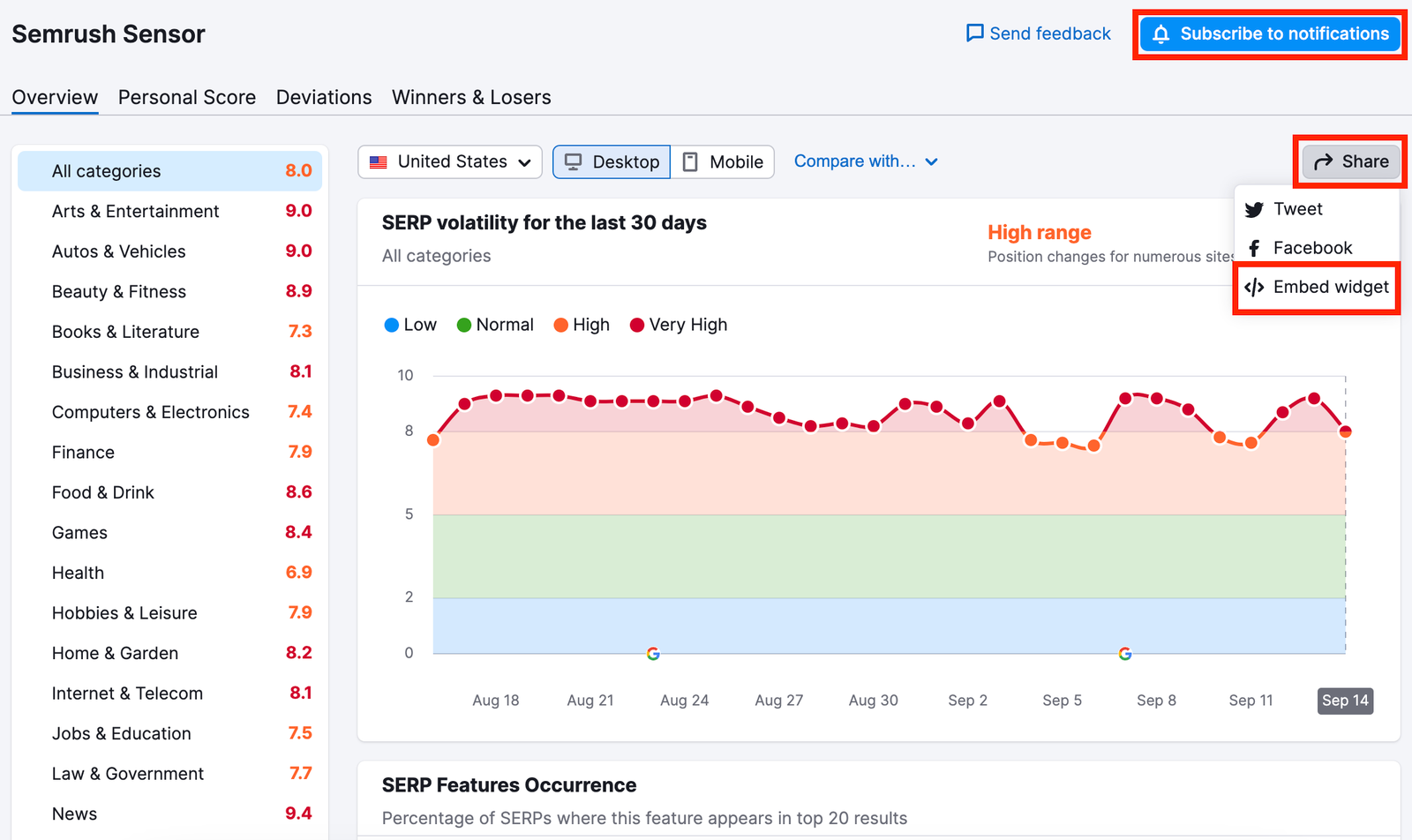
Then pull up Position Tracking for your own keywords and your closest competitors. When every site in your set drops on the same day, the update hit the niche. When you drop and they climb, they took your positions, and their pages tell you what Google rewarded.
Sensor, Position Tracking and the reports below all sit in Semrush's SEO Toolkit. Semrush One includes it, with a 7-day free trial, so you can run this whole check on a live drop before deciding whether to keep it.
Put first-party data next to the rankings
Rank data and traffic data usually live in different tools, which is why so many update diagnoses go wrong. Organic Traffic Insights connects your Google Analytics and Search Console accounts and shows them alongside Semrush keyword data, page by page. You see sessions, engagement and conversions for each landing page, next to the keywords Semrush and Search Console attribute to it.
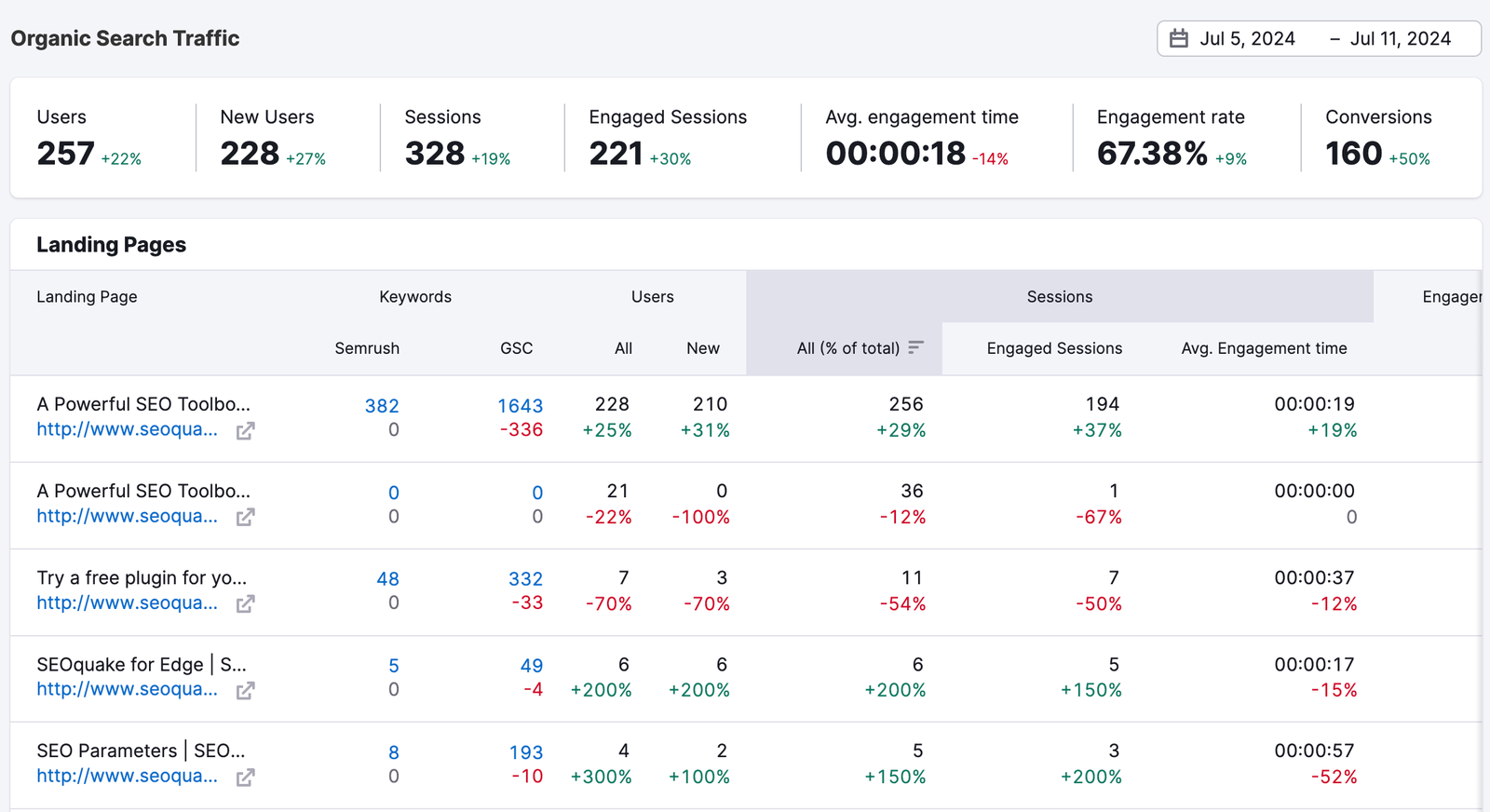
This is where the two-source rule becomes practical. A page whose Search Console keywords fell sharply while sessions held is a ranking change you can probably wait out. A page losing keywords, sessions and conversions together is your real loss, and it goes to the top of the list.
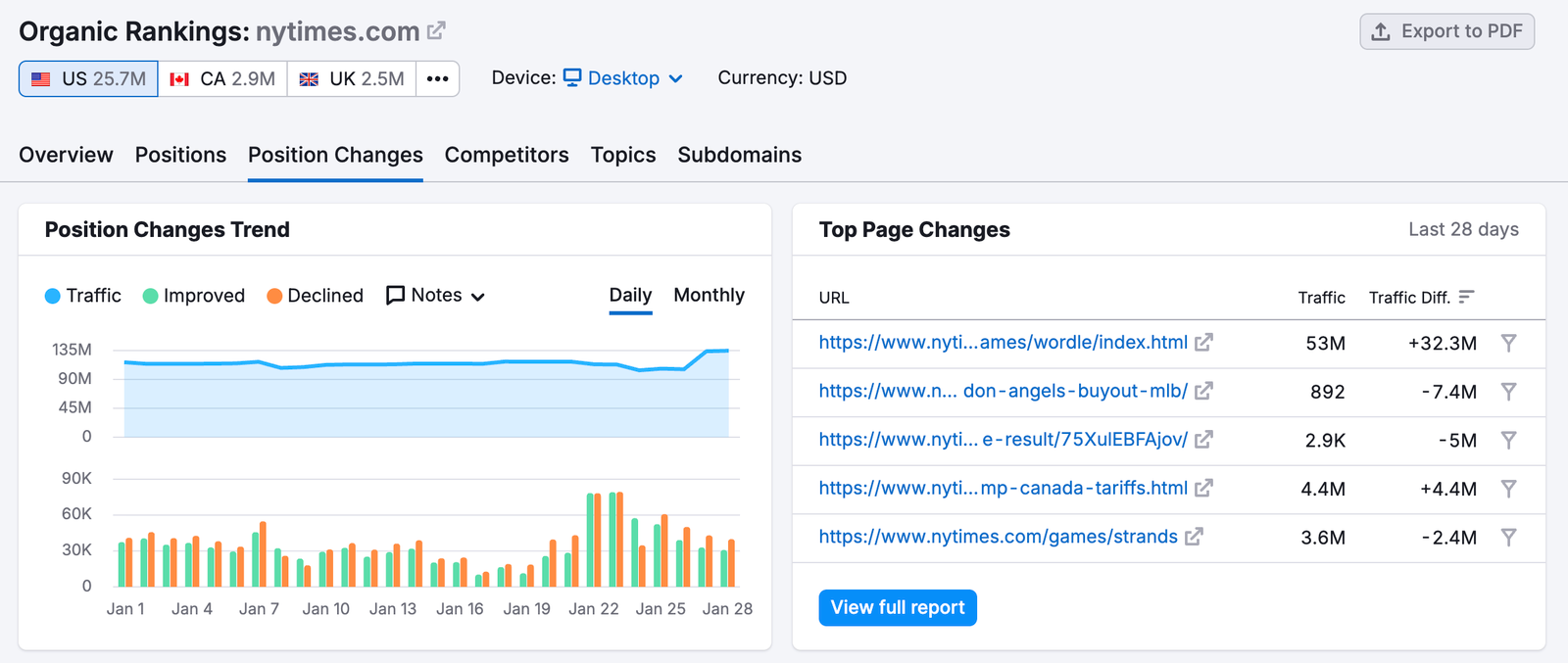
For the pages on that list, the Organic Research Position Changes report shows which URLs gained and lost traffic and on which days, so you can tie each loss to a date and check it against the update calendar.
Set recovery expectations before leadership does
At Search Central Live in Barcelona on October 2, Google's Gary Illyes showed typical and slowest timings for common Search processes, as recapped by Search Engine Journal. Core update recovery was listed at 3 to 6 months typically, and 6 months to a year in the slowest cases, which usually means waiting for the next core update. Removing a manual action took 1 to 2 weeks typically. Illyes framed the ranges as reference points, not deadlines.
The same table had a harsher line for indexing: pages Google judges low quality can take months to index, or never get indexed. That's the real "never" in Google's numbers, and it's a quality problem, not a timing one. Waiting won't fix a thin page.
So the honest message to leadership is in two parts. If the loss came from a core update and your pages are solid, expect months, not weeks, and keep improving the pages that lost the most. If it came from a spam update or a manual action, find and remove the cause first, because recovery doesn't start until you do.
The checklist for your next drop
Keep this somewhere the whole team can find it, and run it before anyone touches a page:
- Note the start date and check it against Google's status dashboard for a core or spam update.
- Confirm the loss in Search Console clicks and analytics sessions, as well as in the rank tracker.
- Check Semrush Sensor and your competitors' positions to see whether the niche moved or only you did.
- Check Search Console's Manual actions report and, if you host user pages, your Page indexing report for unexpected spikes.
- List the pages losing keywords, sessions and conversions together, and fix those first.
- Write down the expected timeline, so nobody declares failure at week three.
Sources
- Google Search Status Dashboard: Ranking incident history
- Google Search Central: Google Search's core updates and your website
- Google Search Central: Prevent user-generated spam on your site and platform
- Search Engine Journal: Google shows how long crawling, indexing and recovery can take
- Semrush KB: Semrush Sensor
- Semrush KB: Organic Traffic Insights manual
- Semrush KB: Position Changes report
- Semrush KB: Semrush One