Google is rolling out a desktop homepage sidebar that keeps AI Mode and Gemini conversations one click away. Here's why that matters for brands, our own Semrush numbers, and what to track now.
Google AI Mode now has a home on the Google homepage
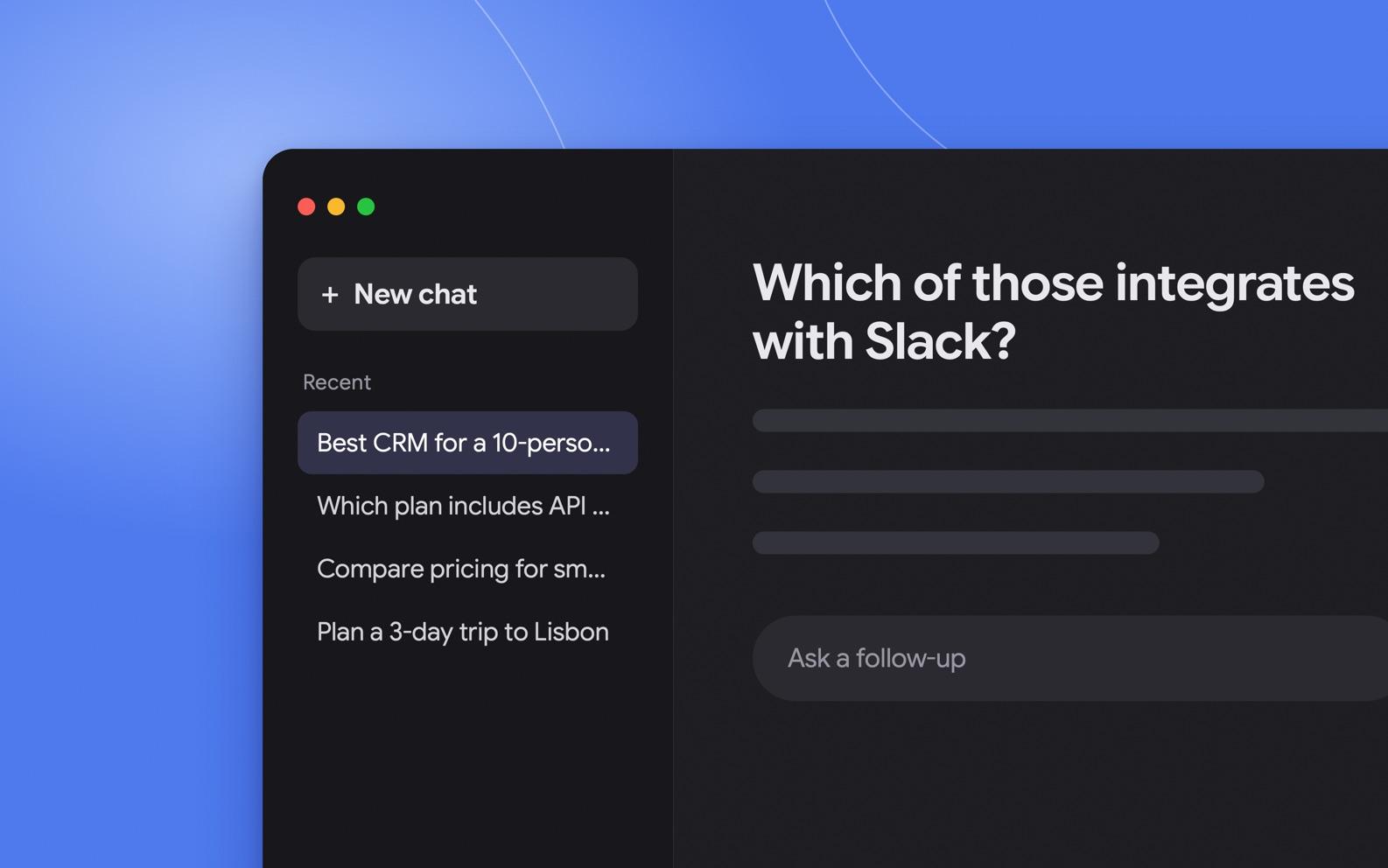
Google is rolling out a redesigned desktop homepage that puts Google AI Mode one click away from the search box. A collapsible sidebar on the left lists your recent AI searches so you can jump back into a conversation, and 9to5Google reports that it also pulls in Gemini chat history and tasks, with a "New chat" shortcut. Gemini-powered shortcuts for creating images, analyzing files and brainstorming sit under the search bar, replacing the old "Google Search" button.
Google's Robby Stein announced the rollout on X, saying people increasingly come to Search with questions that aren't "one and done," and that in testing the sidebar made a big difference in helping people keep exploring.
This didn't come out of nowhere. Search Engine Roundtable spotted the same left sidebar on the main results page in a test on October 14, and Barry Schwartz said he was seeing it himself by October 30. The homepage version is the bigger step, because the homepage is where most searches start.
It's a gradual global rollout. 9to5Google said it wasn't live on its own devices yet, and when we loaded google.com on a US English desktop profile on November 24, we still saw the old homepage with the AI Mode button inside the search box. Expect your audience to get it at different times.
Why a small sidebar is a big deal for search
A sidebar sounds cosmetic. What it really changes is habit. Until now, AI Mode was a place you chose to go. With a running history on the homepage, it becomes a place you come back to, the way people return to a ChatGPT thread instead of starting a new search.
That matters because AI Mode sessions behave differently from classic search. Semrush's study of AI Mode clickstream data from May to July 2025 found AI Mode queries averaged 7.22 words, against 4.0 for traditional searches, and that an AI Mode session took two to three searches where a classic session often took around five. It also found that roughly 93% of AI Mode sessions ended without a click to another website.
Almost no AI Mode sessions send a click

That data predates the sidebar, so treat it as direction, not a forecast. Demand is moving the same way, though. US searches for "google ai mode" went from about 90,500 a month in November 2025 to 673,000 in October 2026, according to Google Ads volume data we pulled through DataForSEO. People are actively looking for the feature, and Google is now putting it on the page they already open.
What it means for your brand: rankings are only half the picture
If more research happens in multi-turn AI sessions, a brand either shows up inside the answer or it doesn't. A strong position in the blue links doesn't carry over on its own.
Our own site is a good example. We ran aieatingtheworld.com through Semrush's free Domain Overview, which shows an AI Search panel next to the classic SEO numbers.

We rank for 580 keywords in the US, up 26%, and our estimated organic traffic jumped. In AI answers, three of our pages are cited, one of them in AI Mode, and the brand is mentioned zero times. Those are two different results, and only one of them shows up in a rank tracker. As the sidebar nudges more people into AI Mode, that second number is the one we'd lose sight of first.
If you want to check the same gap for your site, Semrush One includes both the SEO Toolkit and the AI Visibility Toolkit and comes with a 7-day free trial.
Keep your rankings baseline current
The first job is boring and important: know exactly where you stand in classic results before the sidebar reaches most of your audience. If traffic dips in January, you want to tell a ranking loss apart from a shift in how people search.
Position Tracking in Semrush's SEO Toolkit checks your target keywords every day, for the device and location you choose, and shows your visibility and share of voice against competitors over time. Set the project to desktop, since that's where the homepage sidebar is rolling out, and tag keywords by topic so you can compare like with like later.
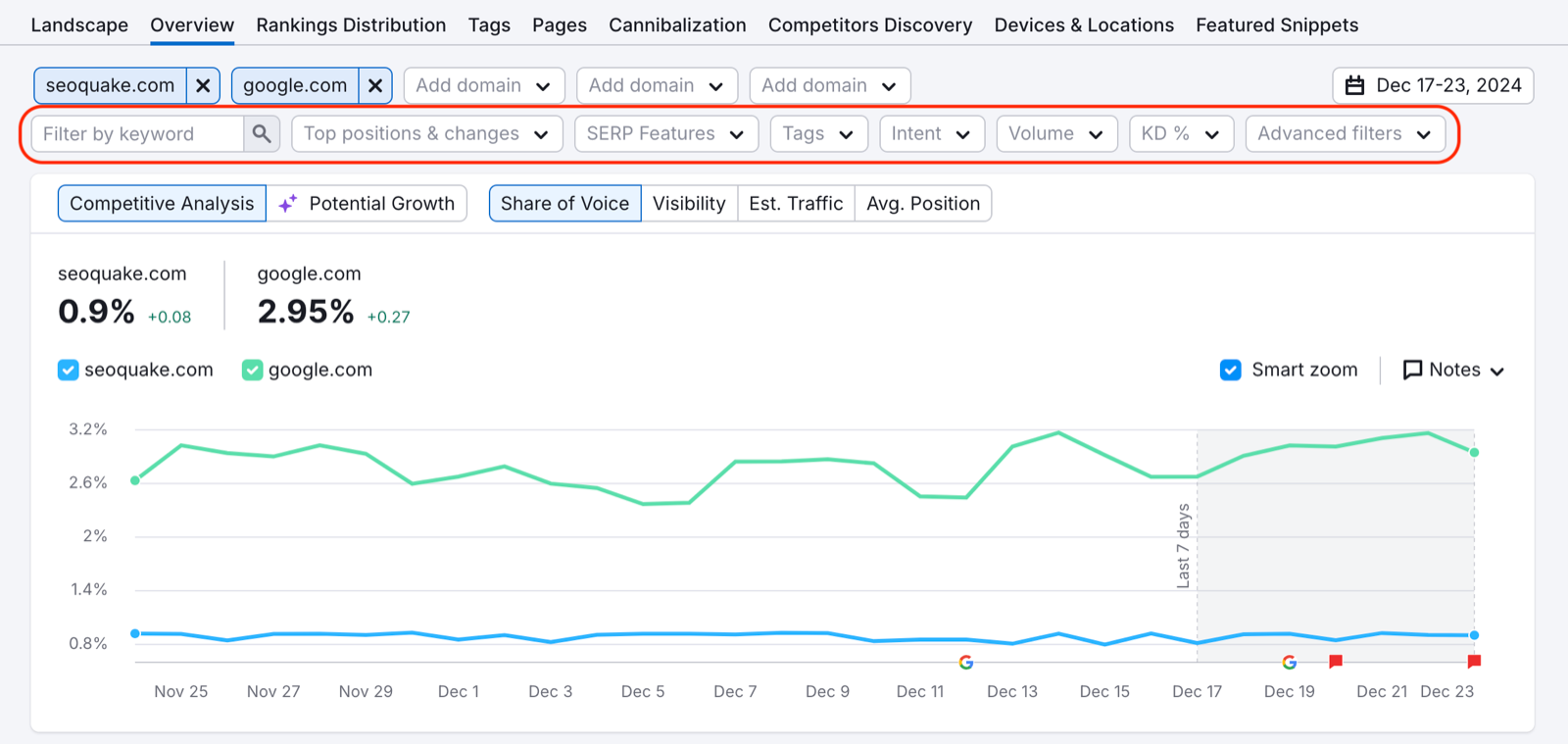
The same projects can now show AI Search targets next to the SEO ones, so classic rankings and AI answers sit in one place. Our step-by-step AI visibility tracking guide walks through the setup, including the weekly sheet we use to read the two together.
Sources: Semrush KB: Position Tracking
Track the conversations as well as the keywords
Keywords alone won't tell you what happens inside an AI Mode thread. For that you need to track the longer, conversational prompts people actually type, and the follow-ups they ask next.
Semrush's AI Visibility Toolkit starts with a Visibility Overview that shows how often a brand is mentioned and cited across ChatGPT, Google AI Overviews, AI Mode and Gemini. Here's what that looks like for a large consumer brand, using Semrush's free example report:
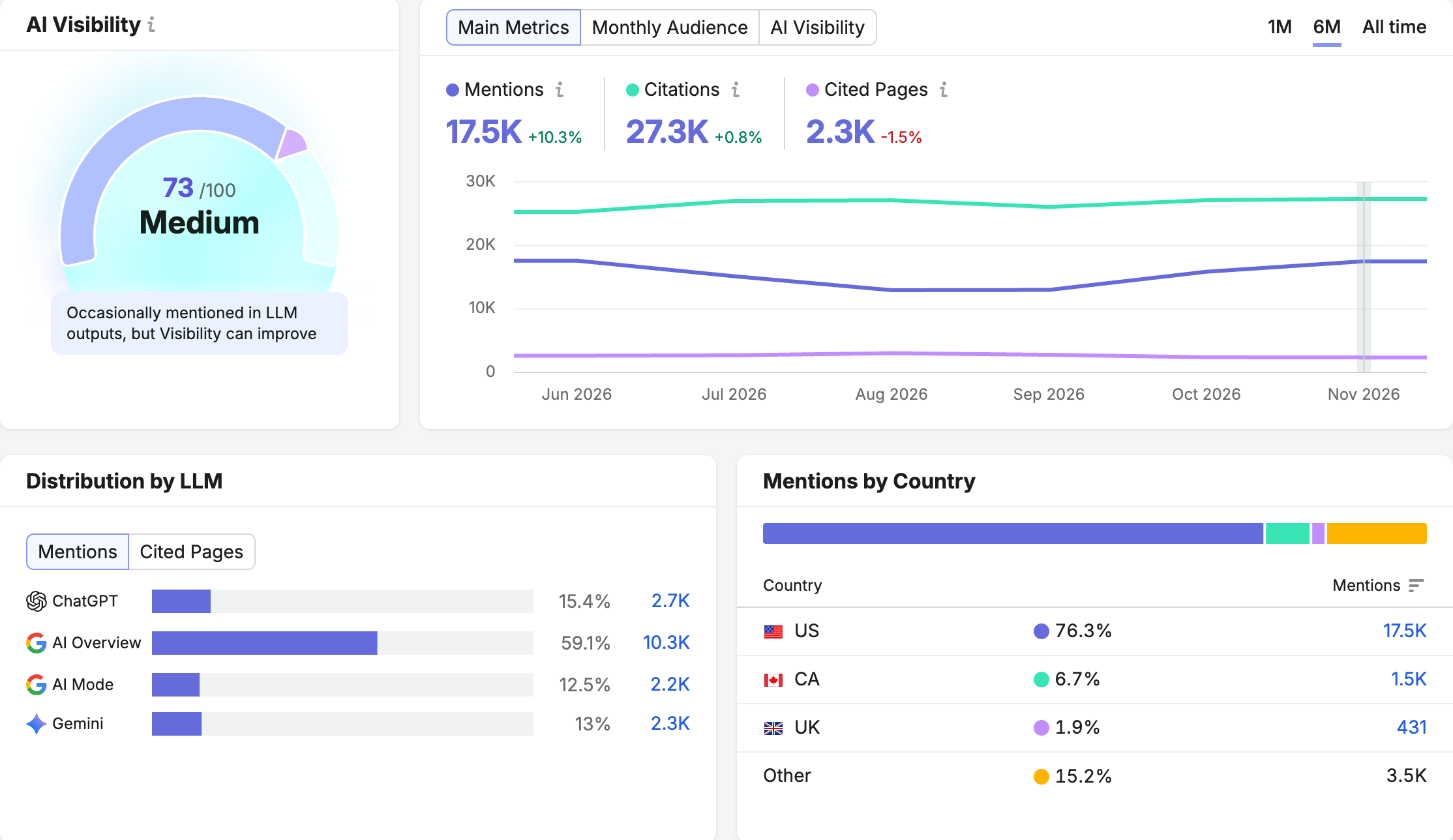
Note the Distribution by LLM panel. For this brand, AI Mode drives 12.5% of AI mentions today, well behind AI Overviews. That split is worth recording now. If the homepage sidebar does what Google hopes, the AI Mode share is the one to watch move.
Prompt Tracking then checks the exact prompts you choose every day in ChatGPT, Google AI Mode and Gemini, and records whether you're mentioned, your position and which pages are cited. Add a few follow-up prompts to each topic, such as "which of those is cheapest for a small team?", because the sidebar is built to keep those follow-ups going. For a deeper look at what AI says about you once you're mentioned, see our AI brand monitoring guide.
What not to do yet
Nobody has published data on the sidebar's effect on clicks or query volume, and Google hasn't shared any. So resist rewriting your site around it. Search Engine Roundtable's Barry Schwartz wrote that the sidebar brings AI Mode one step closer to becoming the default for Google Search. That's a fair read of the direction, not a measurement of the impact.
Do three things instead. Make sure your priority topics trigger AI answers at all, record where you rank and where you're named, and check the numbers weekly against clicks.
Three numbers to watch as the sidebar rolls out
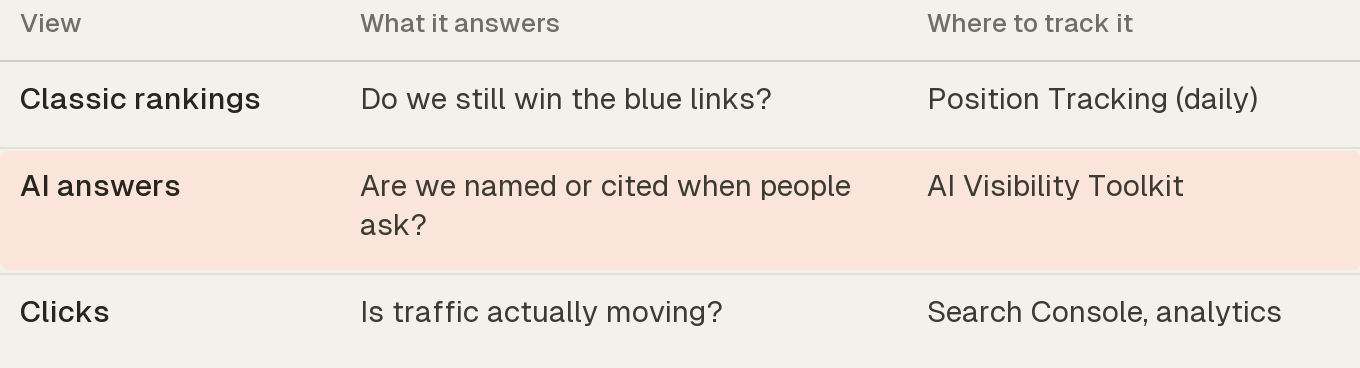
If clicks fall while rankings hold and AI mentions stay flat, that's the signal the sidebar is changing your traffic, and the moment to act on the gap. We covered how to read that kind of mismatch in measuring AI Mode traffic.
Key takeaways
- Google is rolling out a desktop homepage sidebar that keeps your recent AI Mode searches and Gemini chats one click away.
- The rollout is gradual and global. It wasn't live for us on November 24, and there's no click data yet.
- AI Mode sessions are longer and mostly zero-click, so being named in the answer matters more as AI Mode gets easier to reach.
- Record a rankings baseline now with daily Position Tracking on desktop.
- Track conversational prompts and their follow-ups, and log mentions and citations separately.
- Watch rankings, AI mentions and clicks together before making big changes.
Sources
- 9to5Google: Google homepage rolling out AI-focused redesign that includes your Gemini chats
- Search Engine Roundtable: Google tests AI Mode left sidebar on the main results page
- Robby Stein (Google) on X
- Semrush: Google AI Mode's early adoption and SEO impact (2025 clickstream study)
- DataForSEO Keywords Data API (Google Ads search volume, US)
- Semrush KB: Position Tracking
- Semrush KB: AI Visibility Toolkit
- Semrush KB: Prompt Tracking
- Semrush KB: Semrush One