x402 Protocol: How to Charge AI Agents for Your MCP Tools and APIs
A practical walkthrough of x402 payments on Cloudflare, from a paid MCP tool on testnet to deciding whether real agent revenue is worth chasing yet.
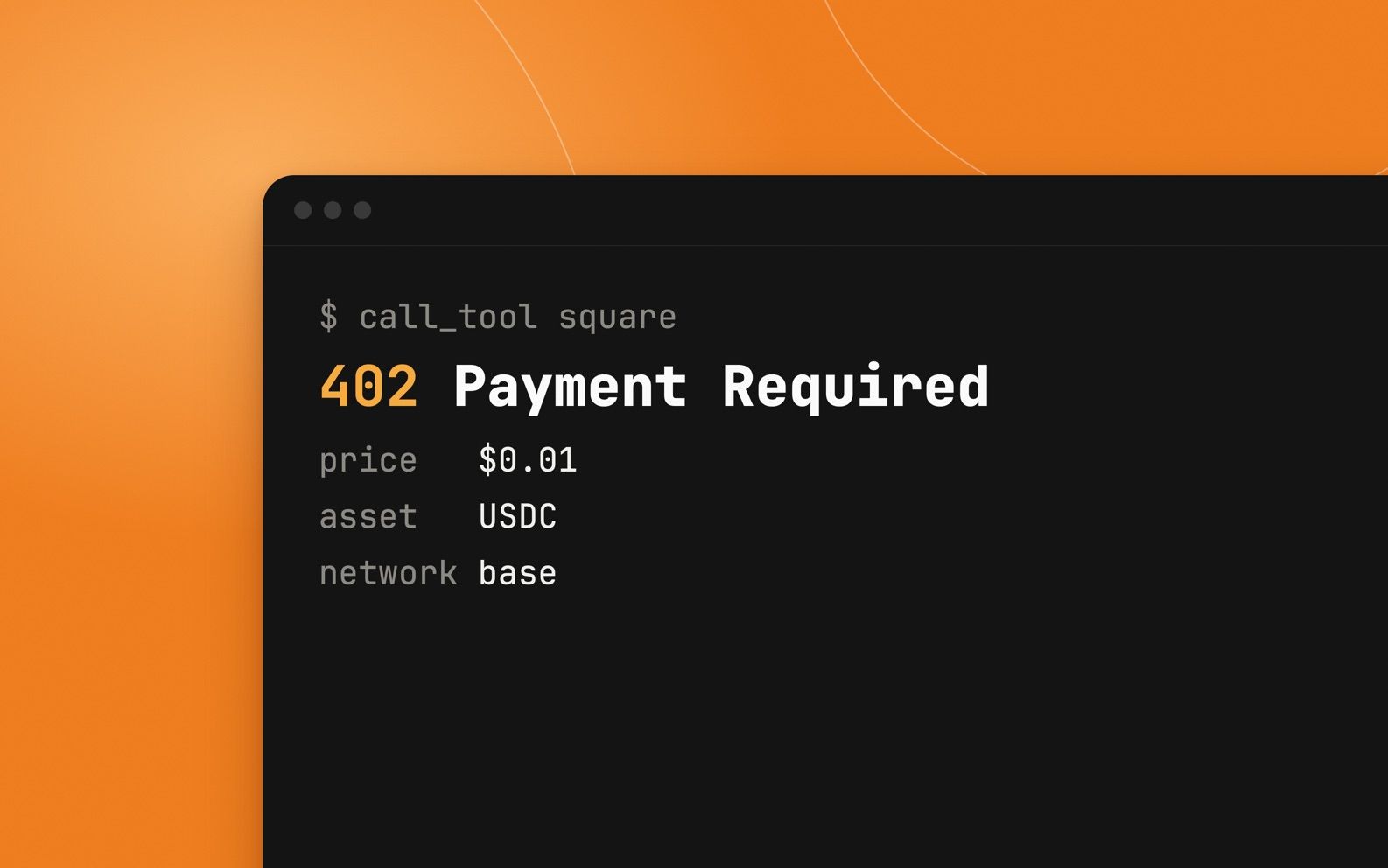
The x402 protocol lets an API or MCP server ask an AI agent for payment with a plain HTTP 402 response, then deliver the result once the agent pays in USDC. This guide shows how x402 works, how to build a paid MCP tool with Cloudflare's Agents SDK, how to test it safely on Base Sepolia, and what the real x402 payments market looks like before you bet a product on it.
Best for
- Developers who run an API or MCP server
- Founders pricing data or tools for AI agents
- Teams evaluating agentic payments before building
Requirements
- A Cloudflare account and Node.js 18 or later
- An EVM wallet address to receive USDC (a fresh one, not your main wallet)
- Basic TypeScript and familiarity with MCP servers
- Free testnet USDC from the Circle faucet
What the x402 protocol actually does
HTTP has had a status code called 402 Payment Required since the 1990s, but nothing on the web used it. The x402 protocol, launched by Coinbase and now run through the x402 Foundation it co-founded with Cloudflare, finally gives HTTP 402 a job: it is how a server tells a client what something costs and how to pay for it.
What is x402 in practice? A pay-per-request handshake. There are no accounts, API keys or card forms. An AI agent can pay a few cents for one tool call and move on, which is why x402 keeps coming up in conversations about agentic payments.
Every paid request follows the same four beats:
- 1.The agent calls your API or MCP tool without paying.
- 2.Your server answers 402 Payment Required with the price, the token (usually USDC), the network and your wallet address.
- 3.The agent signs a payment for that amount and retries the request with the payment attached.
- 4.A facilitator verifies and settles the payment, and your server returns the result.
Cloudflare's examples use the public facilitator at x402.org, which Coinbase operates. Coinbase's docs say it charges no facilitator fee for USDC on Base and covers gas. At least one third-party pricing guide describes a free tier with a small per-transaction fee after that, so check Coinbase's current pricing page before you model margins.
Check whether x402 payments are worth it for you
Before you build, look at the market honestly. Cumulative transaction counts sound huge, but the money moving through x402 is still small, and a large share of the activity has been traced to leaderboard farming rather than real buyers.
x402 fits best where every request is the product: an inference call, a search query, a data lookup, a PDF render, a premium MCP tool. It fits badly for ordinary web pages, where readers and crawlers reuse content and per-page prices of a fraction of a cent add up to very little for a small site. Cloudflare itself steers page-level use cases to a separate product.
A reasonable rule: add an x402 price alongside your existing API keys and subscriptions, not instead of them. Treat it as a new door for agents that cannot sign up for an account, and measure what comes through it before you rebuild pricing around it.
Build a paid MCP tool with x402 on Cloudflare
Cloudflare's Agents SDK wraps an MCP server with withX402 and gives you a paidTool method. Paid and free tools live side by side in the same server. If you are new to MCP, read what an MCP server is first.
Start a new Worker project, then add the Agents SDK, Zod and the MCP SDK. The agents/x402 module treats @modelcontextprotocol/sdk as an optional peer dependency, so pin the exact version your Agents release expects (the docs give 1.32.1 as an example). Cloudflare's full example lives in the cloudflare/agents repo under examples/x402-mcp if you want a working package.json to copy.
Replace your Worker entry file with this server. It charges $0.01 per call to square and leaves echo free. Start on base-sepolia (testnet) and put your own wallet address in recipient:
- paidTool takes the name, description, price in USD, the Zod input shape, annotations, then the handler.
- An unpaid call gets a 402 with the payment requirements instead of the result.
- The recipient address receives the USDC directly. The facilitator never holds your funds.
Run it locally, then deploy when the testnet flow works:
Let an agent pay for the tool, with a human check
On the buyer side, withX402Client wraps an MCP client so it can pay when a tool returns 402. The first argument to callTool is a confirmation callback. Pass a function to ask a human before paying, or null to let the agent pay on its own. Keep the human check on until you trust your limits.
Sources: Cloudflare docs: Pay from Agents SDK
The client needs viem for the wallet account. Keep the buyer's private key in .dev.vars locally and in a Wrangler secret in production. Never commit it:
Test with free testnet USDC before real money moves
- 1.Create a fresh wallet for testing and copy its address into recipient on the server.
- 2.Create a second wallet for the buyer agent and get test USDC on Base Sepolia from the Circle faucet.
- 3.Call the free echo tool first to confirm the MCP connection works.
- 4.Call square without payment and confirm you get a 402 with a price of $0.01.
- 5.Approve the payment in your onPaymentRequired flow and confirm the result comes back.
- 6.Look up both wallets on a Base Sepolia block explorer and confirm the USDC moved.
- 7.Only then switch network to base and recipient to your real receiving wallet.
Related: Circle USDC testnet faucet
Do it yourself or use Cloudflare's Monetization Gateway
The code above is the do-it-yourself route. It is permissionless: anyone with a wallet can run it today, on any Cloudflare plan that runs Workers, and you control pricing in code.
Cloudflare's Monetization Gateway puts a price in front of an existing API, dataset or MCP server without code changes, using x402 and Coinbase's facilitator underneath. It entered a closed beta on September 30, 2026, limited at first to US-based sellers and buyers, with sign-up through an application in the Cloudflare dashboard. Payouts settle as USDC on Base. Cloudflare says redeeming to a bank account is planned, not live. If you are outside the US, or need fiat payouts, the do-it-yourself route is the one you can use now.
Keys, wallets and runaway spending
- Use a dedicated receiving wallet. Anyone can see its balance and history onchain.
- Never put a private key in source code, a prompt or an MCP tool description. Use Wrangler secrets.
- Do not pass null to callTool in production without your own spending cap. An agent stuck in a loop will keep paying.
- Give buyer agents a wallet that holds only what they are allowed to spend.
- Check how stablecoin income is taxed and whether you can cash it out where you live. Some countries restrict banks from handling crypto.
- Prices are set in USD but paid in USDC. Make sure your terms say what happens if a call fails after payment.
When the 402 handshake breaks
- The tool always returns 402, even after paying: the client and server are on different networks. Both must say base-sepolia, or both base.
- Payment fails with insufficient funds: the buyer wallet has no test USDC, or you are on mainnet with a testnet wallet.
- Import errors for agents/x402: the @modelcontextprotocol/sdk version does not match what your Agents release expects. Pin the version from the docs or the example repo.
- The agent never pays: your onPaymentRequired callback resolves to false or never resolves.
- Money arrives but in the wrong place: recipient still points at your test wallet.
Before you charge real agents
Where to go next
Once one paid tool works, the next step is pricing a tool people actually need: a data lookup, a search, or a slow job your server does well. Keep the free tools free so agents can discover your server before they pay.
Sources
Founder and Editor
Brian Weerasinghe is the founder and editor of AI Eating The World, where he covers artificial intelligence, tech companies, layoffs, startups, and the future of work. His reporting focuses on how AI is transforming businesses, products, and the global workforce. He writes about major developments across the AI industry, from enterprise adoption and funding trends to the real-world impact of automation and emerging technologies.