Image: Flickr / Wikimedia Commons / Unsplash
Supercharging Claude Code: Skills, Plugins, and MCP for Advanced Workflows
How to turn Claude Code from a smart autocomplete into a disciplined, secure, agentic platform
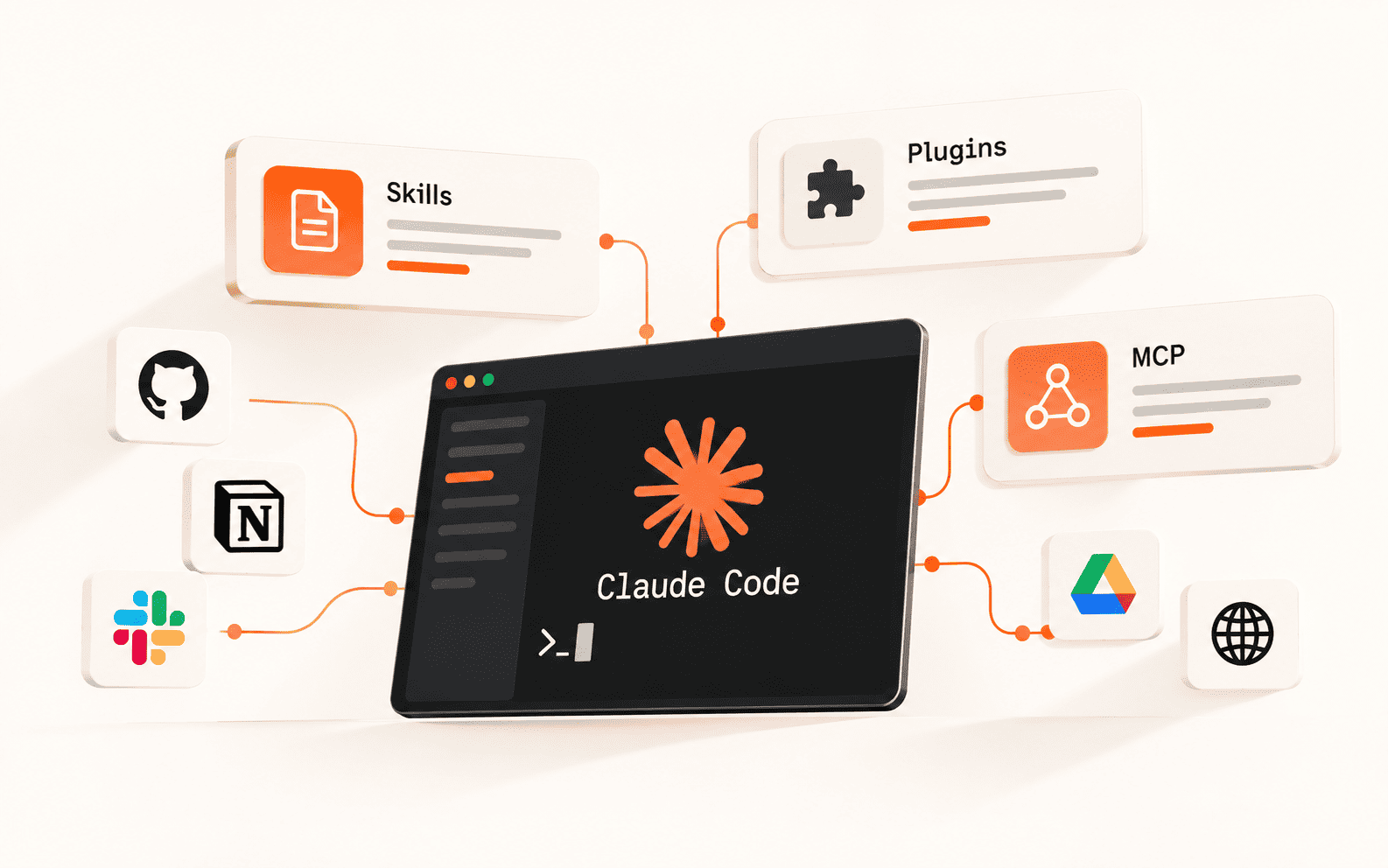
Most people using Claude Code are still typing prompts into one long conversation and hoping for the best. This guide covers the layer above that: Claude Code skills, plugins, hooks, and MCP servers, and how advanced teams combine them into workflows that survive long sessions, run unattended in CI, and don't leak data the moment something gets compromised.
Best For
- Developers running Claude Code daily who want fewer re-explanations
- Engineering leads standardizing how a team uses agentic coding tools
- Solo builders wiring Claude Code into CI/CD or multi-step pipelines
Requirements
- Claude Code installed and working on at least one real repo
- Comfort with the command line and basic git
- An Anthropic account with API or Claude Code access
- (Optional) A GitHub repo with Actions enabled, for the CI/CD section
Why prompting harder stops working
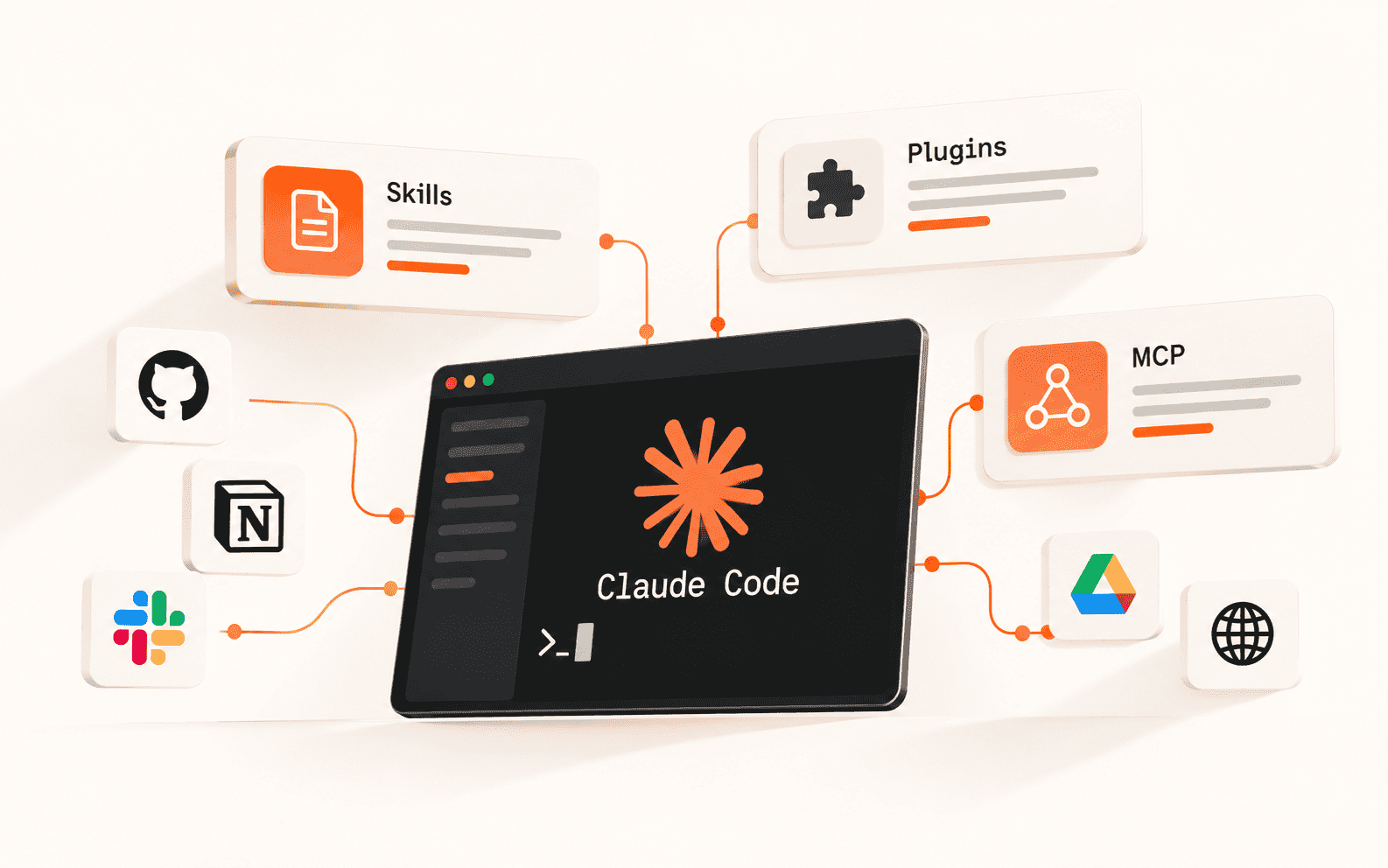
There's a ceiling to what you get from Claude Code by just writing better prompts in a single session. Past a certain project size, the real leverage comes from claude code skills, reusable procedures Claude loads only when a task needs them, plus the surrounding layer of plugins, hooks, and MCP servers that decide what Claude is allowed to touch and how it remembers what matters.
This guide walks through that whole stack: how to keep Claude's persistent memory from rotting, how to teach it reusable skills instead of re-explaining yourself, how to add hard guardrails with hooks, how to connect it to your actual tools with MCP, how to split large tasks across subagents, how to run it unattended in CI, and how to not hand an attacker your private repos in the process.
Give Claude a memory that doesn't rot
Claude Code reads project memory from a CLAUDE.md file, checked in order from your home directory, then the project root, then subdirectories. That lets you keep personal defaults (terminal habits, security posture) separate from rules specific to one repo or microservice.
The most common way people ruin this file is treating it like documentation. Hundreds of lines of style guides and API specs sitting in CLAUDE.md compete with your actual prompt for the model's attention, and the practical result is Claude quietly ignoring some of your rules. Keep it under roughly 60 to 200 lines and stick to stable facts, non-obvious gotchas, and what "done" looks like for this project.
What actually earns a spot in CLAUDE.md:
- Tech stack facts that stop framework hallucinations, e.g. "use pnpm, not npm"
- The exact test command that counts as done, e.g. "tests must pass via pnpm test"
- Hard no-touch rules, e.g. "never edit files in /generated"
- A couple of short code examples showing your actual style
What doesn't belong in there: full API docs, legacy history, anything Claude can just read live from a URL or an MCP server instead.
When Claude fixes a genuinely non-obvious bug during a session, have it add a single line to CLAUDE.md explaining the gotcha. Over a few weeks this turns the file into an earned record instead of a wishlist.
Make it show you the plan before it touches a file
Run claude --permission-mode plan, or hit Shift+Tab mid-session, and Claude switches to a read-only mode: it can explore your codebase and map dependencies but can't edit anything. For any change that touches more than a couple of files, treat this as non-negotiable rather than optional.
The asymmetry is what makes it worth the extra step. If the plan is wrong, you fix it with one sentence before any code exists. If you skip planning and the execution goes sideways, you're now untangling incorrect edits spread across several files, which costs far more time and context than reading a plan would have.
A trick worth stealing: tell Claude to write its plan to an actual file, not just the chat.
That file becomes a persistent checklist Claude can re-check itself against, which matters a lot once a session gets long enough to need compaction (more on that below).
Match the thinking level to the actual task
Claude Code supports different depths of reasoning, and picking the right one is mostly about not paying for depth you don't need. A one-line bug fix doesn't need the same budget as a concurrency bug or a novel algorithm design.
- Light tasks: straightforward fixes, syntax corrections, small feature additions
- Moderate tasks: business logic, cross-file refactors, initial architecture planning
- Heavy tasks: performance work, security-sensitive code, concurrency debugging
- Maximum: systemic audits, novel algorithms, opaque multi-system failures
Keep long sessions from quietly forgetting things
Claude Code compacts long conversations automatically once they approach the context limit, summarizing verbose tool output and keeping the essential meaning of the session. The risk on the other side of that is "ghost context": you assume Claude still remembers a decision from earlier that actually got compressed away.
Two ways to reduce that risk: run /compact focus on [specific task] so compaction prioritizes the thread you care about, or put a short "Compact Instructions" section directly in CLAUDE.md so critical rules survive every compaction cycle, not just the current one.
Turn repeated explanations into claude code skills
CLAUDE.md is your static rulebook. Claude code skills are the dynamic layer on top: a SKILL.md file that acts as a router, triggering only when a task actually needs it, and bringing in exact instructions plus a restricted tool list at that moment instead of bloating every session.
The pattern that makes a skill actually useful is narrow triggering. A vague "helps with deployment" description gets picked at the wrong times or never gets picked at all. A skill described as "activates when deploying to staging, provides the exact CLI flags and validation steps for this infrastructure" gets used correctly and stays out of the way otherwise.
A minimal skill is just a markdown file with frontmatter and a body:
Write the description like you're pitching Claude on when to use it, not what it's named. That description is the only thing deciding whether the skill fires at all.
Add guardrails hooks can enforce and prompts can't
Skills are the accelerator. Hooks are the brakes. A hook fires deterministically at a specific point in Claude's event lifecycle, which makes it the right tool for anything that has to happen every time, not just when Claude remembers to do it.
A pre-commit hook that forces a lint pass and a security scanner before any change is finalized is a common one. Another useful pattern is a lightweight hook that fires on every prompt and asks Claude to state, in one line, which skills or subagents it considered and why it used or skipped each one. It's a small nudge that measurably improves routing accuracy.
Package skills, hooks, and connectors as claude code plugins
Once you have a few skills and hooks worth reusing across projects, claude code plugins bundle them together with any MCP connectors they depend on. A handful of plugin categories cover most of what teams actually reach for.
- Live-docs plugins: pull version-specific documentation for fast-moving frameworks so Claude stops relying on stale training data
- Frontend/design plugins: bias output toward interfaces that look shipped rather than generic scaffolding
- TDD-enforcement plugins: require a failing test before Claude is allowed to write the fix
Heavier plugins, especially anything doing design system generation or media generation, can burn through a large share of a weekly usage allowance in a single session. Check the claude code plugin marketplace listing for a plugin's typical token footprint before adding it to a workflow you'll run often, and drop plugins you're not actively using rather than leaving them enabled by default.
Connect Claude to your actual tools with MCP
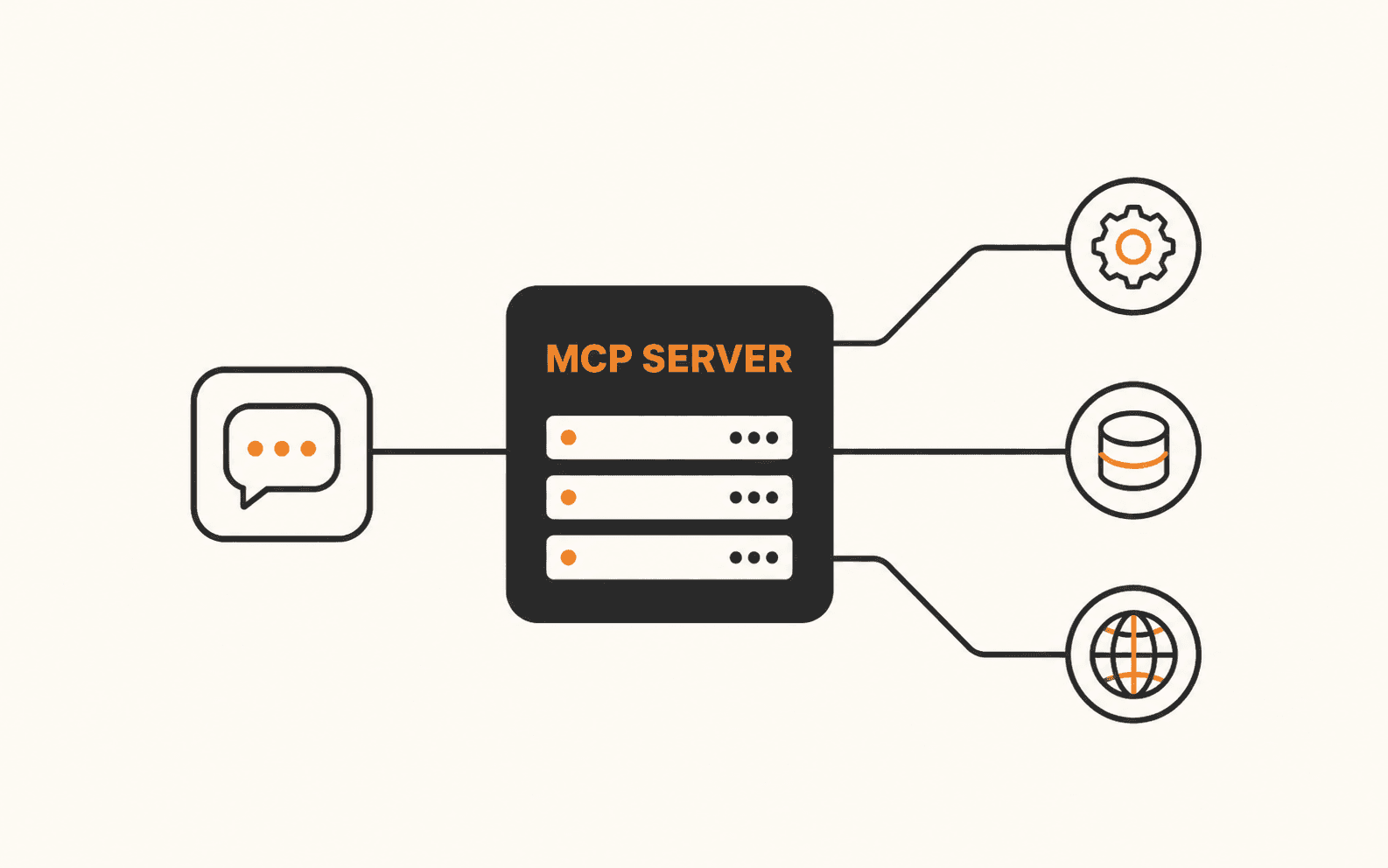
The Model Context Protocol is the standard that lets Claude Code talk to external systems, databases, project trackers, browsers, without a bespoke integration for each one. Claude Code acts as the client; an MCP server exposes a menu of tools, resources, and prompt templates it understands how to call.
Servers come in two flavors: local ones running over stdio, good for scripts and local file or database access, and remote ones over HTTP, good for cloud infrastructure and SaaS platforms like project trackers or design tools. The combination that actually compounds is an MCP connection for raw access paired with a skill that knows the right way to use it.
Split hard problems across subagents instead of one giant context
A subagent is a separate worker with its own fresh context window, not just a smarter version of the main prompt. It gets a specific system prompt, a restricted tool list, and returns only its finished, summarized output to the parent session, so a 500-file grep for a deprecated config key never floods your main context.
Get the description hyper-specific, since that's what the parent agent reads to decide whether to delegate. "Scans files for performance bottlenecks" routes correctly; "helps with code" doesn't route at all. Give the reviewer-type subagents Read, Grep, and Glob only, never Bash or Write, and keep dependent tasks sequential: subagents can't see each other's in-progress reasoning, so if task B needs task A's finished output, run them in order, not in parallel.
Run it headless in CI without hanging the pipeline
Claude Code's headless mode, the -p or --print flag, takes a prompt as a command-line argument, runs the necessary tool calls without waiting for human confirmation, and exits with a standard success or failure code. That's what makes claude code headless mode usable inside GitHub Actions or GitLab CI instead of only an interactive terminal.
Since there's no human present to approve tool calls, headless runs need pre-approved, tightly scoped permissions rather than an interactive prompt that would just hang the runner:
- 1.Automated PR review: read-only, no write or bash permissions, comment on the diff only
- 2.Auto-fix linters: restrict to the flagged file, cap turns, run the linter as the final verification step
- 3.Test generation: cache dependencies before Claude runs so npm install isn't repeated on every attempt
Whatever the task, keep it idempotent (running it twice shouldn't double the effect), scoped to a bounded set of files, and verifiable against a deterministic check, not Claude's own say-so.
Lock this down before an issue comment becomes a data breach
Once Claude can act on external systems through MCP, the attack surface isn't your code anymore, it's anything Claude reads. Indirect prompt injection is the sharp end of this: instructions hidden in a GitHub issue, a support ticket, or tool metadata can override your actual prompt and get the agent to act on the attacker's behalf instead of yours.
A documented version of this: a public GitHub issue contains hidden injected instructions. A developer asks Claude to "check open issues." Claude reads the poisoned issue, and because it's using a broad personal access token, it's tricked into pulling data from the developer's private repos and sending it to an attacker-controlled endpoint, all without the developer approving anything by hand.
The fix isn't a bigger warning label, it's least-privilege by default: scope tokens to exactly what a task needs instead of handing an agent your broadest PAT, require human approval for anything high-risk (financial actions, schema drops, external network calls), and where you can, put an interceptor in the path that can lock a session to the repo it started in and kill it the moment it tries to reach somewhere else.
Before you call this workflow production-ready
Where this goes next
None of this has to land in one afternoon. Start by trimming CLAUDE.md and turning your single most-repeated task into a skill, then layer in hooks, MCP, and headless CI as the workflow actually demands it. If you're mainly evaluating what's worth installing versus what's just token overhead, that's really the same question as picking from the claude code plugin marketplace with a specific bottleneck in mind, not browsing for whatever looks impressive.
Brian Weerasinghe is the founder and editor of AI Eating The World, where he covers artificial intelligence, tech companies, layoffs, startups, and the future of work. His reporting focuses on how AI is transforming businesses, products, and the global workforce. He writes about major developments across the AI industry, from enterprise adoption and funding trends to the real-world impact of automation and emerging technologies.