Image: Flickr / Wikimedia Commons / Unsplash
What Is an MCP Server? A Beginner's Guide
How AI apps use MCP tools, resources, and prompts to work with external systems.
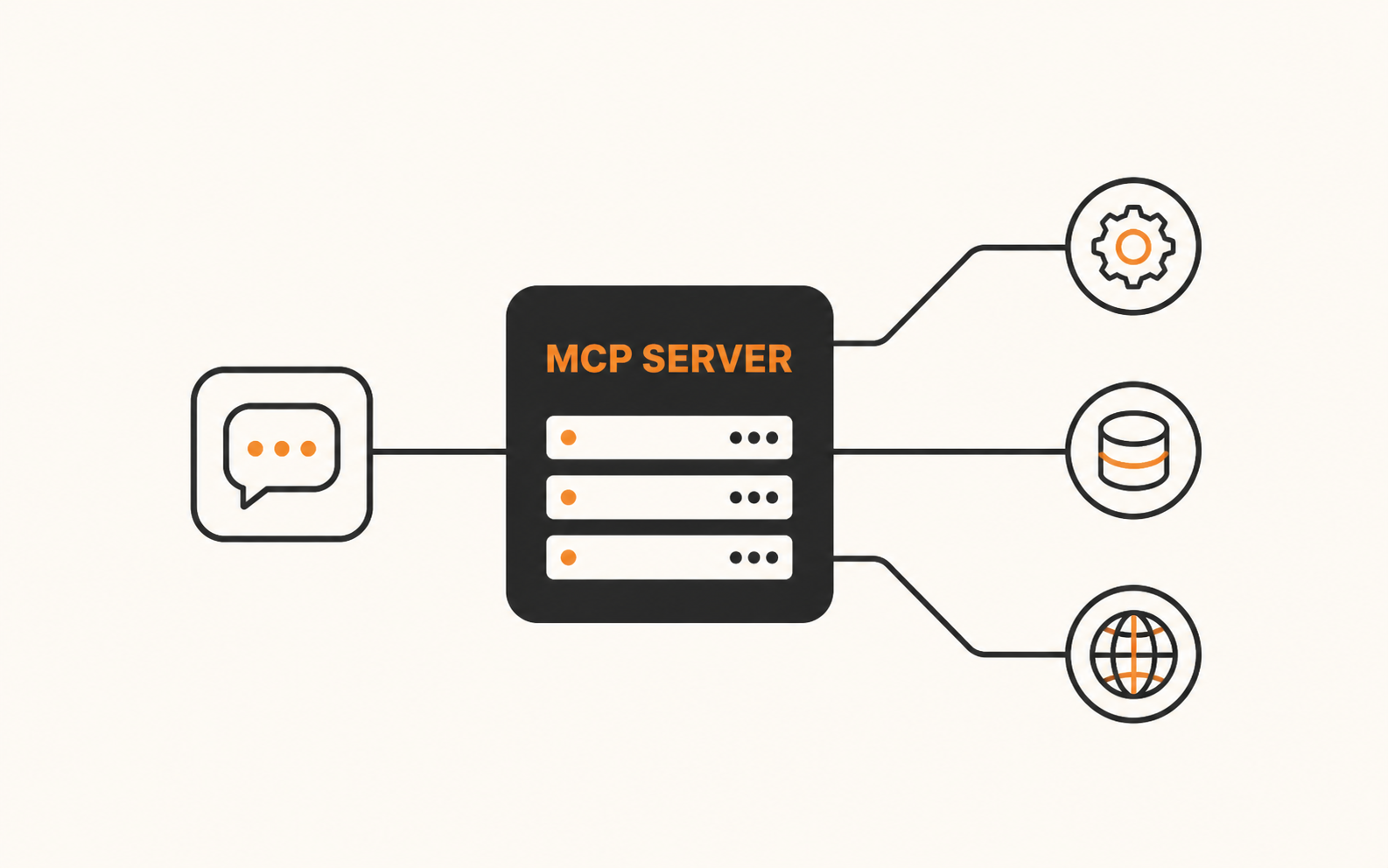
What is an MCP server, and why are AI tools asking you to connect one? This beginner's guide explains how an MCP server gives an AI application a standard way to reach external data, MCP tools, and reusable workflows. You will learn the core parts, see a concrete example, and get a safety checklist for trying one yourself.
What is an MCP server, in plain English?
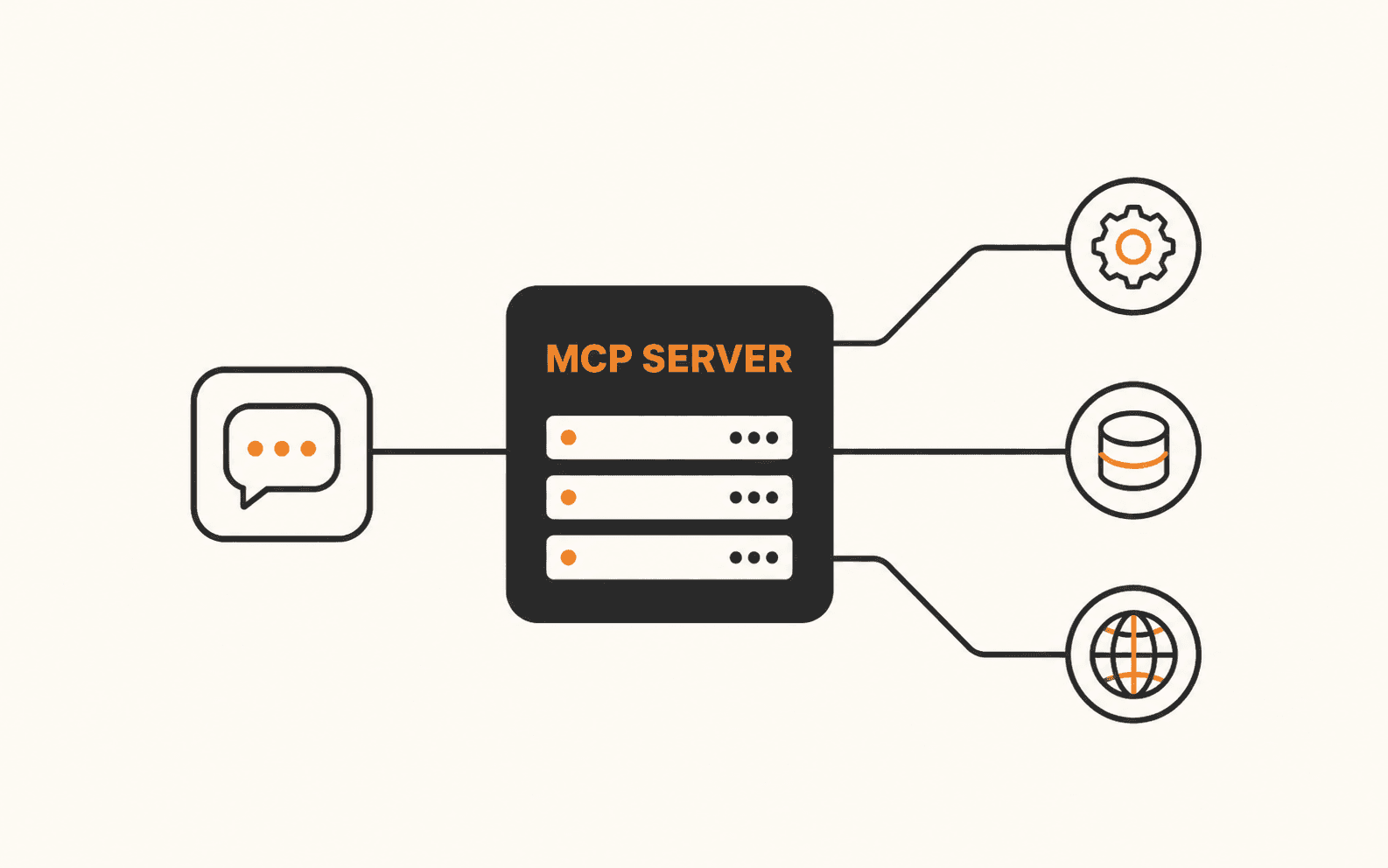
An MCP server is a program that gives an AI application a standardized way to discover and use outside capabilities. It can connect the application to files, databases, business software, APIs, or purpose-built functions without requiring a custom integration for every model and service.
MCP stands for Model Context Protocol. The application you use is the host. Inside that host, an MCP client maintains the connection to a particular server. The server then exposes only the capabilities it was designed and authorized to provide.
If you searched "what is MCP," the shortest answer is that MCP is the shared language, while the server is the connector and capability provider between the AI application and another system.
Sources for this section
How does MCP work from request to result?
If you want an MCP server explained as a flow, the exact interface varies by application but the basic sequence is consistent. This is what happens when you ask an MCP-enabled assistant to use an external system.
- 1.You ask the AI application to do something, such as check a repository for open issues.
- 2.The host sees which capabilities its connected MCP servers make available.
- 3.The model selects a relevant MCP tool or the application retrieves an available resource.
- 4.The host may ask you to approve the action, especially if it can change data.
- 5.The MCP client sends a structured request to the server.
- 6.The server talks to the underlying service and returns a structured result.
- 7.The host gives the result to the model, which uses it to answer you or continue the workflow.
Sources for this section
The three things an MCP server can expose
MCP servers can offer three core building blocks. A server does not have to expose all three.
- Tools are functions the model can call. Examples include searching a database, creating a calendar event, posting a message, or updating a file.
- Resources are data sources the application can read for context. Examples include a document, database schema, knowledge base entry, or API response.
- Prompts are reusable instruction templates that help a user start a reliable workflow with the server's tools and resources.
Sources for this section
Local and remote MCP servers are not the same thing
A local MCP server runs on the same computer as the AI application. It is commonly launched as a subprocess and communicates through standard input and output. This is useful for local files, developer tools, and private workflows that should stay on the machine.
A remote MCP server runs as a network service. It is useful when a provider operates the integration for many users or when the target data already lives in a cloud service. Remote connections need careful authentication, authorization, and data-handling review.
The July 28, 2026 MCP specification made the current remote protocol core stateless and added routing, caching, and authorization changes. Older clients and servers may still use earlier protocol behavior, so compatibility depends on the versions each side supports.
- Choose local when you trust the code and need controlled access to something on your machine.
- Choose remote when you trust the provider and need a hosted integration available across devices or teams.
- In both cases, grant only the files, accounts, and actions the server genuinely needs.
Sources for this section
An MCP server example you can picture
Imagine connecting a source-control MCP server to an AI coding assistant. You ask, "Which open issues mention failed payments, and what files are most likely involved?"
The assistant can use a read-only tool to search issues, retrieve relevant repository context, and return a short investigation plan. If the same server also exposes a write tool, the assistant might offer to post a comment or create a branch, but that action should remain subject to your permission settings.
Without MCP, the assistant would need a separate custom integration for that service. With MCP, the host and server communicate through a shared protocol while the server handles the service-specific API.
- Expected result: a source-backed summary that names the issues and relevant files.
- Good boundary: reading is enabled first, while comments, branches, and other changes require approval.
- Failure signal: the assistant claims it checked the service but cannot show a tool result or identify the server it used.
Sources for this section
Decide whether a server is worth connecting
Before installing or authorizing any MCP server, verify the publisher, scope, and behavior. A polished README is not proof that the code or hosted service is safe.
Sources for this section
Connect your first MCP server safely
To learn how to use MCP server access in practice, follow your host's current documentation for the exact buttons or configuration file. Configuration differs across ChatGPT, Claude, Codex, Cursor, IDEs, and other MCP hosts, but the safe sequence below stays useful.
- 1.Start with a narrow, reputable server that solves one clear problem.
- 2.Read its published capability list and note which operations can change data.
- 3.Install it from the publisher's official instructions or add its verified remote URL.
- 4.Grant the smallest useful permission scope and keep approval prompts enabled for write actions.
- 5.Test one read-only request, such as listing a small set of records or reading a non-sensitive file.
- 6.Check the returned source and tool result before trusting the model's summary.
- 7.Enable additional actions one at a time only after the read-only path behaves as expected.
Sources for this section
Where beginners get tripped up
MCP standardizes communication, but it does not automatically make a server trustworthy, accurate, or safe. The host, server, model, and underlying service remain separate components with separate failure modes.
- Connecting a server is not the same as giving the model unlimited knowledge. It can only use the capabilities and data made available.
- A tool description can influence when a model calls it, so vague or misleading descriptions can produce bad choices.
- Tool output can contain untrusted instructions or prompt injection. Treat external content as data, not authority.
- A local server can inherit meaningful access from the user account that launches it. Run trusted code and restrict filesystem and network access.
- A remote server may receive data outside the AI provider's own environment. Review the server provider's privacy, retention, and residency terms.
- Approval prompts reduce risk only if you read the requested action, target, and arguments before accepting.
Sources for this section
Know when the connection worked
A successful connection is more than a green status badge. Run a small, verifiable request and check the full path.
Turn the concept into a real workflow
Once you can explain what is an MCP server and verify a safe read-only connection, move to a focused setup guide. Pick one integration with a clear outcome instead of connecting a large catalog at once.
For a design-to-code workflow, use the Figma MCP setup guide. For a marketing workflow, see how Meta's official Ads MCP connects campaign data to Claude. The Unity example shows how MCP can also become part of a larger product platform.
Brian Weerasinghe is the founder and editor of AI Eating The World, where he covers artificial intelligence, tech companies, layoffs, startups, and the future of work. His reporting focuses on how AI is transforming businesses, products, and the global workforce. He writes about major developments across the AI industry, from enterprise adoption and funding trends to the real-world impact of automation and emerging technologies.