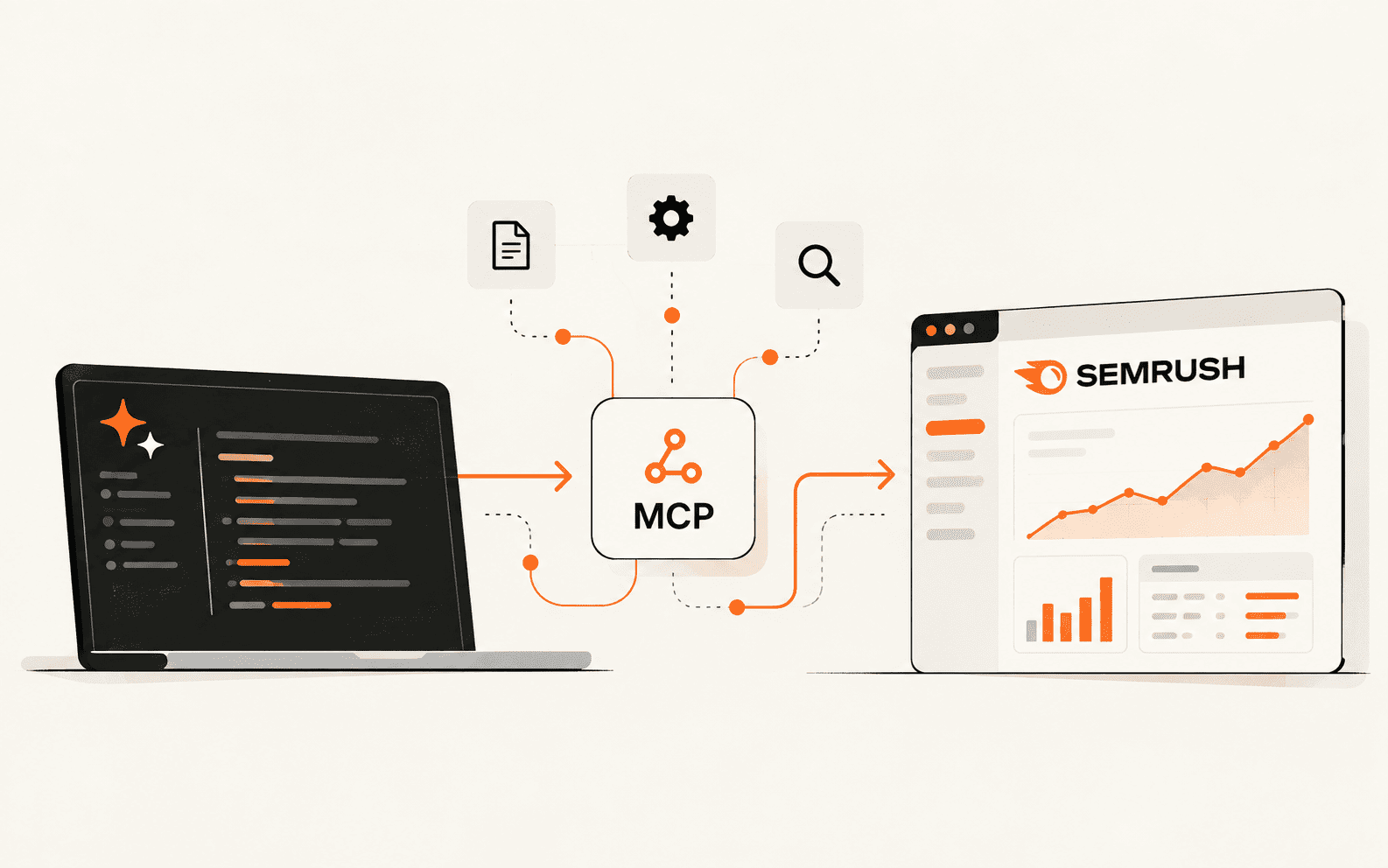
I Turned Semrush Reports into an API & MCP Tool with BrowserAct (No Semrush API Add-On)
If you already pay for Semrush SEO, one BrowserAct bot can run the same reports from your apps and AI tools. We configured it once, called it from the web app, a REST API and an AI agent, and checked the numbers against Semrush.
You already pay for Semrush SEO, and you run the same Domain Overview and Keyword Overview reports again and again by hand. Semrush's own API is a Business-tier add-on. BrowserAct provides the API and MCP connection instead: its Semrush template turns your login into one bot that signs in through a cloud browser, opens the report and returns structured rows. You configure that bot once, then call it again for the next domain or keyword from a REST API, an automation or an AI agent over MCP. We did exactly that and checked the output against Semrush.
Best for
- SEO consultants and in-house marketers who already pay for Semrush and repeat the same reports
- Marketers building AI agents or automations that need Semrush data
- Teams that want to share one configured report bot instead of the Semrush password
Requirements
- A Semrush account. The reports you can run and your daily limits follow your plan.
- A BrowserAct account (the free plan includes 200 credits; our runs used 12 to 26 each)
- A BrowserAct API key for the API and MCP steps
- curl, or an AI client that supports remote MCP servers
Where the Semrush API and Semrush MCP stop
Semrush gives you two official ways to pull its data into code or an AI agent, and both depend on your plan.
- Semrush API: an add-on for the Business tier of the SEO Toolkit (Advanced in Semrush One). You buy API units in packages of 2, 5, 10 or 20 million, and Semrush doesn't list a per-unit price on its site.
- Semrush MCP: the official MCP server works in ChatGPT, Claude and Perplexity. It comes with Semrush One Starter and Pro+ and SEO Classic Pro and Guru, with 50,000 MCP API units that refresh each billing cycle.
- Plan prices on Semrush's pricing page (Nov 3, 2026): SEO $139 a month, Starter $199, Pro+ $299 billed monthly, Advanced on request.
- BrowserAct's template: a bot signs in to your Semrush account in a cloud browser, opens the report you ask for and returns it as rows. It can only read what your own plan can open, and you pay in BrowserAct credits (200 free on signup; the Basic plan is $16 a month for 10,000 credits, per BrowserAct's pricing page on Nov 3, 2026).
So this isn't a free Semrush API. It's a way to call the reports your own seat can already see, from scripts, automations or an AI agent, when your plan has no API or you want the same pipeline across tools.
Sources: Semrush pricing (SEO and AI Search)
Related: What is an MCP server?
Step 1: Configure one Semrush bot
Everything starts with one bot. You configure it once in BrowserAct's web app with your Semrush login and a proxy, and every later call, from the API or an AI agent, reuses that setup with new inputs.
- Open the Semrush Scraper template in BrowserAct and click Run. No code or editable copy is needed.
- Set the report. We used module Competitive Analysis, action Domain Overview, target semrush.com, target_count 20 and database United States, then clicked Continue.
- Under Account login, pick a proxy and add your Semrush login. A US dynamic proxy worked for our tests; BrowserAct recommends a paid static proxy if you'll run this long term, so the login IP stays the same. Open Account credentials, then Settings, to add your Semrush email and password.
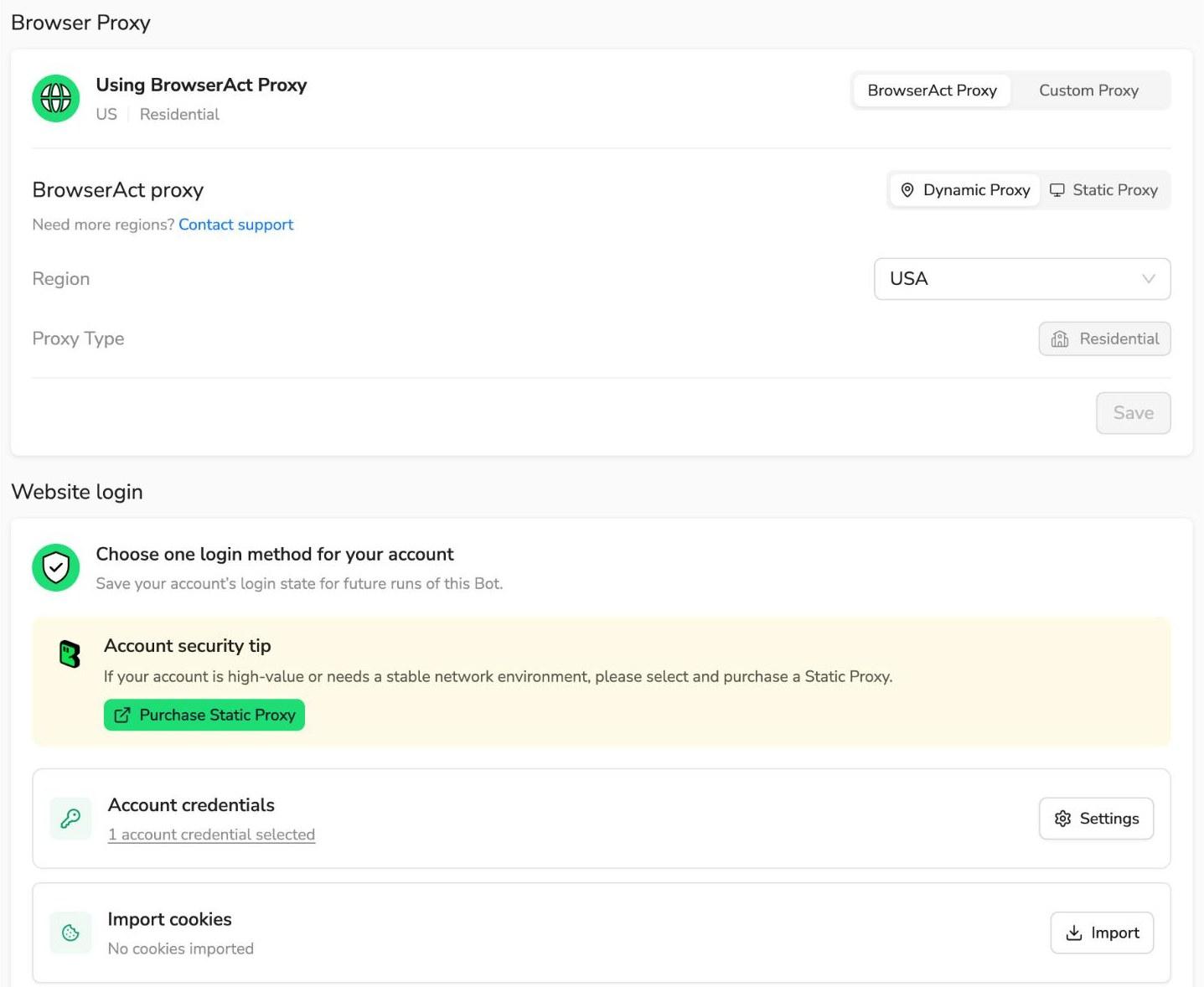
- Click Save & Run. The run page shows a live view of the cloud browser, so you can watch the bot sign in and open the report.
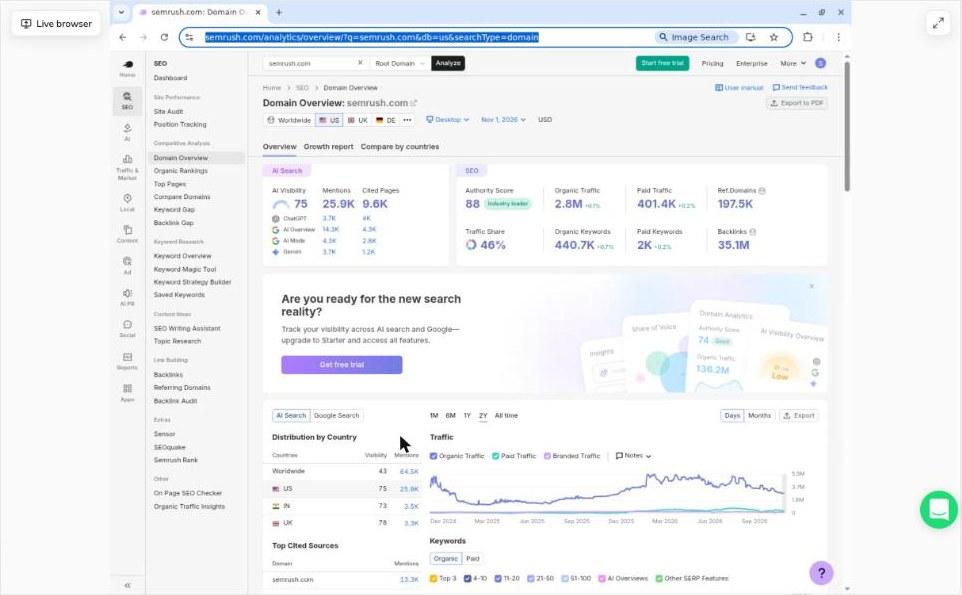
Our run took 3 minutes 3 seconds and used 26 credits. The log shows why it took a little longer than later runs: the bot hit Semrush's sign-in check first, signed in with the stored login, then ran the report.
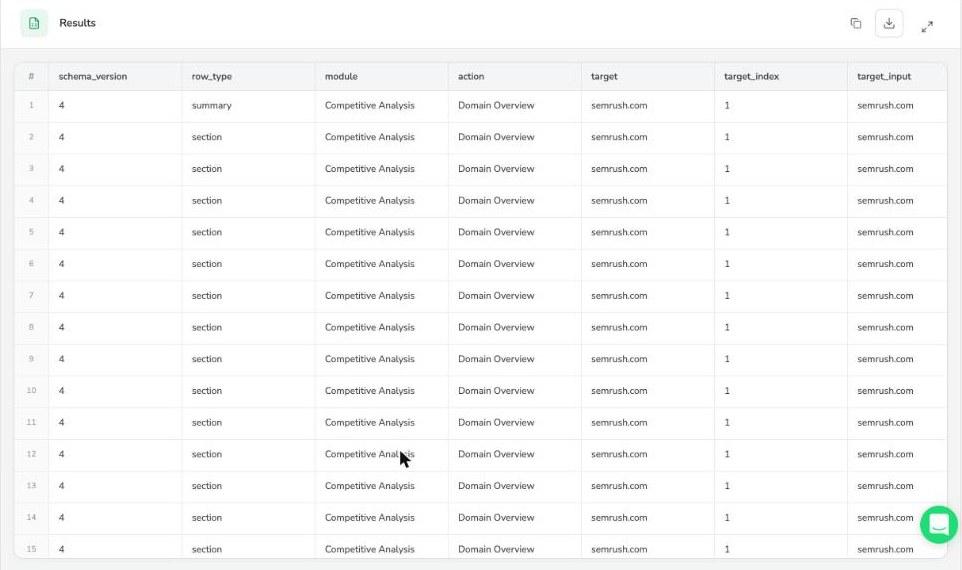
Step 2: Check the first result against Semrush
We opened the same Domain Overview in Semrush and compared it with the bot's summary row. Every field matched. The bot returns exact numbers where the Semrush screen rounds them.
- Authority Score: 88 in the bot output, 88 in Semrush
- Organic keywords: 440,714 vs 440.7K
- Organic traffic: 2,845,406 vs 2.8M
- Paid keywords: 2,011 vs 2K
- Paid traffic: 401,389 vs 401.4K
- Referring domains: 197,541 vs 197.5K
- Backlinks: 35,125,005 vs 35.1M
- AI Visibility: 75 vs 75
Besides the summary, the run returned the report's other sections as rows: top AI-cited sources (semrush.com with 13,330 mentions, youtube.com with 7,483, ahrefs.com with 4,806) and AI visibility for each country database. That section alone ran past 100 rows, so target_count doesn't cap overview reports.
Step 3: Call the same bot from the REST API
Create an API key under API & Integrations in BrowserAct. Keep it out of chats, screenshots and shared files: it gives full access to your account, including the Semrush login stored there.
1. Find the bot. BrowserAct created it the first time you ran the template, and this call returns its bot_id:
2. Start a run with new inputs. The login and proxy stay on the bot, so the request only carries the report you want. We switched to a keyword report:
The response is just a task ID. Ours was {"status":"created","task_id":"127269909426553126"}.
3. Poll the status until it reads finished (created, then running, then finished):
4. Fetch the result. The rows are in output.rows:
This run finished in 2 minutes 19 seconds and used 17 credits. The summary row for browser automation in the US database: 590 monthly searches, keyword difficulty 54, CPC $5.18, competition 0.39, a 12-month volume trend and the search intents. A second section listed the top 10 Google results, including selenium.dev, the browser-use repo on GitHub, browserless.io and browserbase.com.
One quirk to handle in your code: the first five results all came back with position 1, then the rest ran 2 to 6. The bot appears to group the top block of results together, so don't treat that field as a clean ranking without checking it.
Step 4: Ask an AI agent to run it over MCP
BrowserAct runs one MCP server for your whole account, so you don't expose each bot separately. It uses the same API key as a Bearer token; there's no OAuth sign-in.
Add it to any client that supports remote MCP servers over streamable HTTP. In a JSON config it looks like this:
The server exposes 11 tools, including search_bots, get_bot_details, run_bot, get_task and cancel_task. We connected it to Claude Code and asked, in plain English:
Claude worked out the rest. These are the tool calls it made, in order:
- 1.search_bots with the keyword "Semrush" found one bot, Semrush Scraper API (Login Required).
- 2.get_bot_details read the inputs the bot expects.
- 3.run_bot started the run with module Competitive Analysis, action Domain Overview, target moz.com, target_count 20 and database United States, and got back task ID 127461551189028903.
- 4.get_task, called with a wait time, checked the task three times until it finished.
The run took 1 minute 41 seconds and used 12 credits. Claude's answer, from the summary row of Semrush's Nov 3 snapshot:
- Authority Score: 66
- Organic keywords: 214,733
- Organic traffic: 555,257
- Referring domains: 159,095
- Backlinks: 14,919,379
It also saved the full result, 122 rows, to a JSON file, and pointed out on its own that referring_ips came back as 0, which looks like a field the bot doesn't collect rather than a real value.
Any client that supports remote MCP servers can make the same calls. Before the agent run, we also logged an MCP run at the protocol level with a short script, a Domain Overview for ahrefs.com that took 2 minutes 19 seconds and 18 credits.
A prompt to give your AI client
Once the server is connected, this prompt runs one report and stops. Asking it to run once matters: if a call times out, the task may already exist, and a second request would spend credits twice.
Step 5: Call it again for the next domain or keyword
That's the whole pattern: configure the bot once, then call it again with a new domain or keyword from whichever channel suits the job. Over three days, one bot ran four reports: semrush.com from the web app, the keyword browser automation from the REST API, ahrefs.com from an MCP script and moz.com from Claude Code. Only the inputs and the channel changed. The login, the proxy and the report settings stayed on the bot, and its History tab records which channel started each run.

Seven actions also take a list of targets in one run: Domain Overview, Organic Rankings, Top Pages, Keyword Overview, Keyword Magic Tool, Backlinks and Referring Domains. Pass target as a JSON list such as ["semrush.com","ahrefs.com"], and each target comes back as its own result. We didn't test batches, so budget credits per target until you've measured it.
Share the bot with your team, not the Semrush password
Once the bot is configured, the Semrush login lives in BrowserAct's credential store. Whatever you give a BrowserAct API key to, such as a teammate's script, an automation or an AI agent, can run the bot and get the rows without ever seeing the Semrush password. That beats pasting the password into a shared doc or chat.
Treat the API key like a password, though. It can run every bot on the account with the stored login. Keep keys in a secret manager, use a separate key for each integration where you can, and delete a key when the person or app no longer needs it.
What the bot doesn't do is add Semrush users. It signs in as one session on your own seat and runs reports within that seat's limits. A standard Semrush subscription allows one logged-in email address at a time, and the supported way to give several people their own access is to add users to the plan. If teammates need to work inside Semrush itself, budget for seats. If they only need specific reports in their own tools, the bot covers that.
We tested with one person and one API key. We didn't test a multi-person team setup.
What it costs next to Semrush API access
Our four runs used 26, 17, 18 and 12 credits, 73 in total. The template page estimates 16 to 24 credits a run; the first one cost more, most likely because it had to sign in.
- BrowserAct Free: 200 credits on signup, enough for roughly 7 to 16 runs at our rates.
- BrowserAct Basic, $16 a month: 10,000 credits, roughly 380 to 830 runs at 12 to 26 credits each.
- Proxy traffic: BrowserAct lists dynamic proxy use at 5,000 credits per GB, and static proxies come with paid plans. Our report runs didn't show a separate proxy charge, so check your usage page after your first runs.
- Example: on Semrush's $139 SEO plan, about 100 reports a month at around 20 credits each is 2,000 credits, which fits inside BrowserAct Basic. That's about $155 a month in total.
- The official API route means moving to the Business tier (Advanced in Semrush One, priced on request) and buying API unit packages on top.
- If you only need Semrush data inside an AI chat, check your plan first: the official Semrush MCP comes with Semrush One Starter and Pro+ and SEO Classic Pro and Guru, with 50,000 units a billing cycle.
- Extra Semrush users are a separate cost, $45 to $100 a month each depending on plan (Semrush pricing page, Nov 3, 2026). The bot doesn't replace them; see the team section above.
- Your Semrush plan still sets which reports you can open and how many you can run a day.
How we tested
- Dates: Nov 2 to 4, 2026.
- Semrush account: a free Semrush account. Free accounts get a small daily report allowance, so paid plans will open more reports and deeper data than we saw.
- BrowserAct: the sponsor added test credits to our account. We used the Semrush Scraper template unedited, with a US dynamic proxy.
- Runs: one bot, four reports. The web app ran semrush.com, the REST API ran the keyword browser automation, a script that logs each MCP request ran ahrefs.com, and Claude Code ran moz.com over MCP from a plain-language prompt.
- Checks: we compared the first run's summary row field by field with the same Domain Overview open in Semrush.
Limitations to plan around
None of these stopped our tests, but they shape where the setup fits.
- Runs took 1 minute 41 seconds to 3 minutes in our tests and return a task ID first. That suits agents, schedules and batch jobs better than instant lookups.
- The bot signs in as a separate session on your Semrush account. When we used Semrush in our own browser during a run, Semrush showed a multiple-sessions notice, so keep your own Semrush tab closed while runs are active.
- Your login is stored in BrowserAct. Use a password you don't use anywhere else, leave the authenticator key empty, and delete the credential and API key when you stop using them.
- The bot works inside your own Semrush seat. It doesn't add Semrush users or raise your plan's report limits. Check Semrush's terms before you automate reports at volume.
- Field quirks: overview reports ignore target_count, and keyword SERP positions can repeat. Check the rows before you load them into a dashboard.
- No code is needed to set up the bot, but the app, agent or automation that calls it still needs its own setup.
Before you put it in a workflow
Sources
Founder and Editor
Brian Weerasinghe is the founder and editor of AI Eating The World, where he covers artificial intelligence, tech companies, layoffs, startups, and the future of work. His reporting focuses on how AI is transforming businesses, products, and the global workforce. He writes about major developments across the AI industry, from enterprise adoption and funding trends to the real-world impact of automation and emerging technologies.