How to Run Windows on a Mac With Parallels Desktop
Set up Windows 11 on your Mac in about 15 minutes, pick the right edition, and save 45% with code PD45.
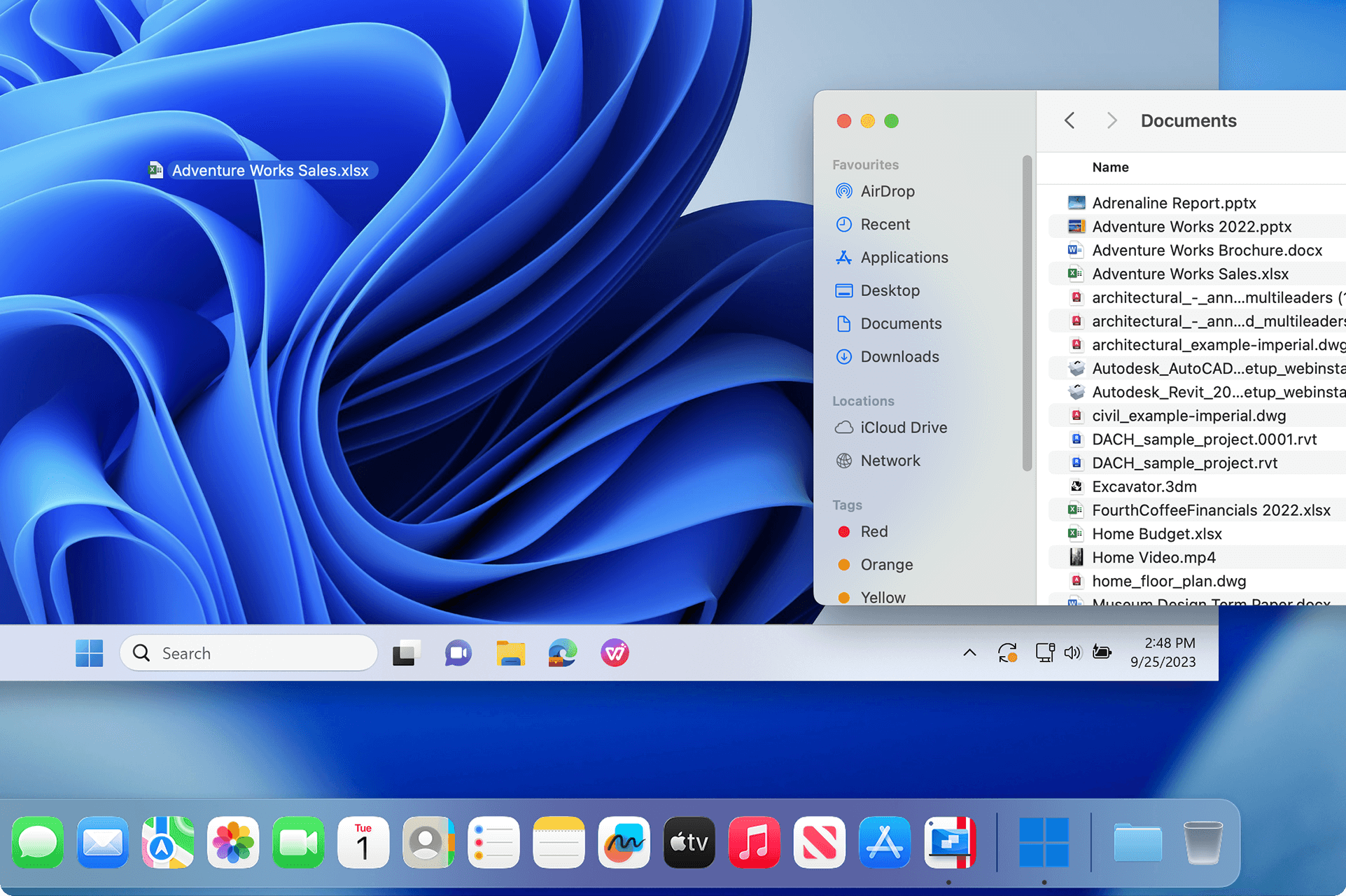
Parallels Desktop runs Windows 11 on a Mac as a normal app, with no reboot and no second computer. This guide covers how it works, which edition to buy, the setup steps, and the current Parallels discount: code PD45 takes 45% off Standard and Pro, and code PD35 takes 35% off Business.
Best for
- Mac owners who need Windows software without buying a second machine
- Students running Windows-only coursework tools on a MacBook
- Professionals who need Excel macros, AutoCAD, or industry-specific Windows apps
- Anyone comparing Parallels Desktop against Boot Camp or VMware Fusion
Requirements
- A Mac on Apple silicon (M1 through M5) or an Intel Mac running macOS 13 Ventura or later
- About 30GB of free disk space
- A Parallels Desktop license (Standard, Pro, or Business)
- A Windows 11 license if you don't already have one through work or school
Why run Windows on a Mac at all
If you own a Mac and need Windows software even occasionally, buying a second computer is rarely the right move. The most common way people run Windows on a Mac today is Parallels Desktop, a virtualization tool that runs Windows as an app-like window inside macOS instead of a separate machine you have to switch between. This guide covers how to run Windows on a Mac step by step, including which Parallels Desktop edition fits your workflow and how to use the current Parallels discount code so you don't pay full price.
There are other paths, Boot Camp, VMware Fusion, CrossOver, but for most people the best way to run Windows on a Mac in 2026 is still a proper virtual machine that lets both operating systems run at once. That's the approach this guide walks through.
What Parallels Desktop actually does
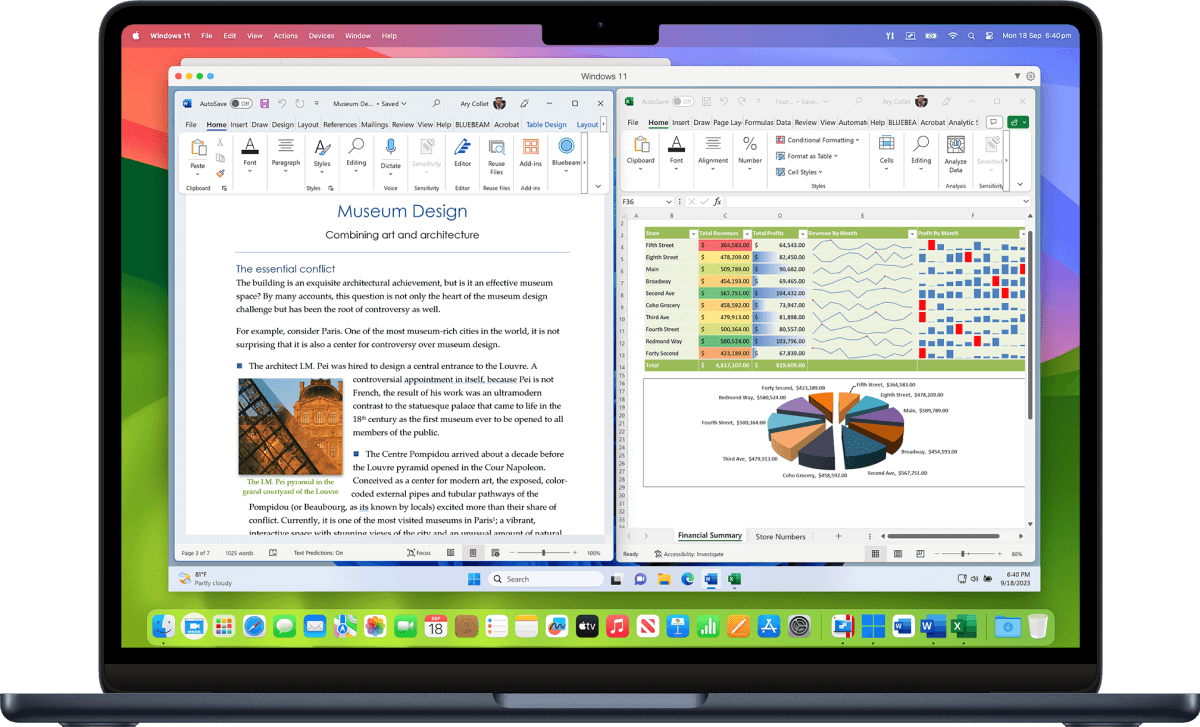
Parallels Desktop is virtualization software. It creates a contained virtual machine on your Mac, then runs Windows inside it as if Windows were just another app. Coherence mode takes this further by putting individual Windows apps directly on your Mac desktop, so a Windows-only tool like AutoCAD or QuickBooks sits next to Safari or Mail with no visible VM window around it.
Boot Camp, Apple's older built-in option, doesn't work at all on Apple silicon Macs, and even on Intel Macs it requires a full restart every time you switch between macOS and Windows. Parallels Desktop skips that entirely: Windows runs as a background process you open and close like any other app, with no reboot involved.
Sources: Parallels
Choose the Standard, Pro, or Business edition
Parallels Desktop 26 ships in three tiers for individuals and teams, plus a separate Enterprise tier you'd only reach through a sales conversation.
- Standard: 8GB vRAM, 4 vCPUs. Built for home and personal use. Available as an annual subscription or a one-time perpetual purchase.
- Pro: 128GB vRAM, 32 vCPUs, command line interface. Built for developers and power users. Subscription only.
- Business: everything in Pro, plus centralized license management and deployment tools. Built for teams. Subscription only.
As of the current release cycle, Standard runs $99.99 a year (or as a one-time perpetual purchase), Pro is $119.99 a year, and Business is $149.99 a year before any discount is applied.
Parallels Desktop 26 also added day-one support for macOS Tahoe (macOS 26) and improved how Coherence mode handles full-screen Windows apps, so your Mac can sleep normally even with a Windows VM running in the background.
Set up Windows in under 15 minutes
The actual install is short, and Parallels handles Windows licensing and download for you if you don't already have a copy.
- 1.Download Parallels Desktop from parallels.com and enter code PD45 (Standard or Pro) or PD35 (Business) at checkout. You can also start with the free 14-day trial and buy later.
- 2.Launch Parallels Desktop and choose Install Windows when prompted. It downloads and validates a Windows 11 image on its own, no ISO hunting required.
- 3.Assign vRAM and vCPUs for the virtual machine. Standard caps out at 8GB and 4 cores; Pro and Business allow up to 128GB and 32 cores per VM.
- 4.Once Windows finishes installing, turn on Coherence mode from the View menu so Windows apps sit directly on your Mac desktop instead of inside a separate window.
- 5.Install Parallels Tools inside the VM when it prompts you, to enable shared folders, clipboard sharing, and drag-and-drop between macOS and Windows.
Sources: Parallels
Parallels discount code: PD45 for 45% off

Parallels runs promotions on its editions often, so paying full list price is usually avoidable. These are the codes Parallels' affiliate team confirmed on October 22, 2026:
- PD45: 45% off Parallels Desktop Standard and Pro editions.
- PD35: 35% off Parallels Desktop Business edition.
Enter the code on the Parallels checkout page before you pay. At list price, 45% off brings Standard from $99.99 to about $55 for the first year and Pro from $119.99 to about $66. Parallels hasn't announced an end date, and its codes change often, so check that the discount shows in your cart before you finish the purchase.
Does Parallels Desktop come with Windows?
No. Parallels Desktop is the software that runs Windows, not Windows itself. During setup it can download Windows 11 for you, but you still need a Windows license to activate it. If your work or school already gives you one, use that. Otherwise buy Windows 11 Home or Pro from Microsoft, ideally before you start the free trial so the 14 days aren't spent waiting on a license.
Sources: Parallels Knowledge Base
Can you run Parallels on a Mac for free?
Only for a while. Parallels offers a 14-day free trial of Parallels Desktop Pro, which is enough to install Windows and test the apps you need. After that you need a paid license. If you decide to keep it, buy with code PD45 rather than at list price.
Before you buy, run through this
Sources
- Run Windows on Mac: Parallels Desktop
- Buy Parallels Desktop: Standard, Pro, and Business
- Parallels Desktop 26 overview, TidBITS
- Parallels Desktop 26 enterprise overview, Windows Forum
- Parallels Suite Pricing 2026, ITQlick
- Parallels Desktop free trial
- Parallels Desktop trial and Windows licensing, Parallels KB
Founder and Editor
Brian Weerasinghe is the founder and editor of AI Eating The World, where he covers artificial intelligence, tech companies, layoffs, startups, and the future of work. His reporting focuses on how AI is transforming businesses, products, and the global workforce. He writes about major developments across the AI industry, from enterprise adoption and funding trends to the real-world impact of automation and emerging technologies.